Top Smart Home Security Systems for 2024: Features, Buying Guide, and Privacy Tips
-

- February 23rd, 2026
- 1,520 views
Smart home security systems continue to evolve in 2024, combining cameras, sensors, smart locks, and automation to protect homes and provide remote monitoring. This guide outlines the main system types, key features to evaluate, installation and monitoring options, privacy and cybersecurity considerations, and questions to ask before buying.
- Decide between professional monitoring and self-monitoring based on response needs and budget.
- Look for encrypted communications, local storage options, and transparent privacy policies.
- Choose systems with compatible protocols (Wi‑Fi, Zigbee, Z‑Wave) for future expansion.
- Confirm battery backup, cellular failover, and reliable mobile apps for notifications.
Smart home security systems: what to look for in 2024
Primary considerations for smart home security systems include sensor coverage, camera quality, integration with smart home platforms, monitoring options, and cybersecurity protections. Evaluate each area according to living situation, local safety needs, and privacy preferences.
Types of systems and how they differ
DIY kits
DIY kits usually include a hub or base station, contact sensors for doors and windows, motion sensors, and sometimes cameras. These systems are generally easier to install and have lower upfront costs. They often rely on Wi‑Fi and mobile apps for alerts and remote control.
Professionally installed and monitored systems
Professionally installed systems often include a monitoring contract and may use cellular connections for alarm signals. They can be appropriate for people seeking guaranteed alarm response and support with false alarm management.
Hybrid and modular systems
Modular systems allow adding devices over time—smart locks, environmental sensors (smoke, CO), video doorbells, and outdoor cameras. Hybrid options may offer optional professional monitoring alongside user control.
Key features to prioritize
Sensor and camera capabilities
Look for motion detection accuracy, night vision, wide field of view, and adjustable sensitivity to minimize false alerts. For cameras, consider resolution, frame rate, and whether the system offers local storage as an alternative to cloud-only recording.
Communication protocols and integration
Systems that support common protocols (Wi‑Fi, Bluetooth, Zigbee, Z‑Wave, Thread) make it easier to add third-party devices. Check compatibility with existing smart home platforms and voice assistants when needed.
Monitoring options and reliability
Monitoring choices include self-monitoring (notifications only), optional professional monitoring, and full-service monitoring with alarm response. For higher reliability, look for cellular failover, battery backup, and 24/7 monitoring where available.
Privacy, encryption, and data handling
Assess how recordings and metadata are stored, who can access them, and retention periods. Prefer systems that offer end‑to‑end encryption, local storage options, and clear privacy policies. Guidance from consumer protection agencies can be useful when evaluating vendor claims; see official consumer information at the Federal Trade Commission (FTC).
Installation and maintenance
Installation considerations
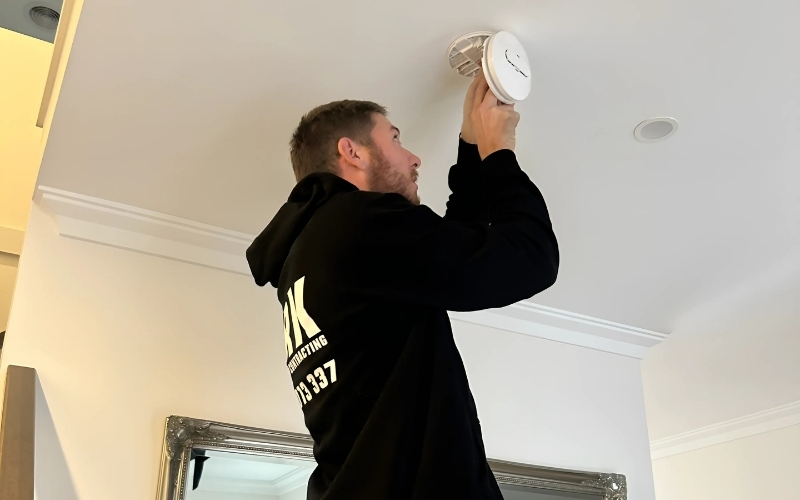
Determine whether professional installation is necessary based on the complexity of the system and the robustness of network setup. Proper placement of sensors and cameras maximizes detection while minimizing blind spots.
Ongoing maintenance
Regular firmware updates, battery checks, and periodic testing of alarm and sensor functions maintain system reliability. Keep account credentials secure and use multi‑factor authentication where supported.
Cost factors and subscription choices
Costs include initial hardware, installation fees (if any), and recurring subscription fees for cloud storage or professional monitoring. Some systems offer basic functionality without a subscription but charge for advanced features such as event recording, professional alarm response, or extended video history.
Security and best practices
Network security
Place smart home devices on a separate network or guest Wi‑Fi network when possible, use strong unique passwords, and enable automatic updates. Consider router features that isolate IoT devices and reduce attack surface.
Privacy best practices
Review device privacy settings, minimize unnecessary data collection, and choose storage options aligned with personal privacy preferences. Understand local laws about audio/video recording and neighborhood notification rules for security cameras.
Choosing the right system for different needs
Renters and apartment dwellers
Prioritize non‑invasive, removable devices and battery‑powered sensors to avoid altering property. Self‑monitoring systems with notification alerts can provide flexible protection without installation contracts.
Homeowners and larger properties
Consider comprehensive coverage including outdoor cameras, perimeter sensors, and professional monitoring for faster emergency response. Ensure system scalability and compatibility with other smart home devices.
Common questions
Are smart home security systems worth it?
Smart home security systems can provide deterrence, remote monitoring, and automated alerts that improve situational awareness. Their value depends on individual risk tolerance, need for professional monitoring, and willingness to manage device security and privacy settings.
How do subscriptions affect total cost?
Subscription plans can add recurring costs for cloud storage, professional monitoring, or advanced features. Compare what each plan includes—recording duration, number of users, and emergency dispatch services—to determine long‑term value.
What privacy protections should be required?
Require clear privacy policies, strong encryption, local storage options, and granular sharing controls. Confirm how long video and event logs are retained and whether third parties can access data.
Which smart home security systems are best for renters?
Systems that are wireless, require no drilling, and use adhesive mounts or magnetic fittings are typically best for renters. Choose devices that are easy to remove and leave no permanent changes to the property.
How to choose smart home security systems for a family?
Select systems with reliable mobile notifications, user management for multiple family members, quick emergency contact workflows, and options for professional monitoring if immediate response is desired.
Where to find official guidance on connected device security?
Official consumer protection agencies, standards organizations, and local law enforcement websites provide guidance. The Federal Trade Commission and national cybersecurity centers publish recommendations on device security and privacy practices.