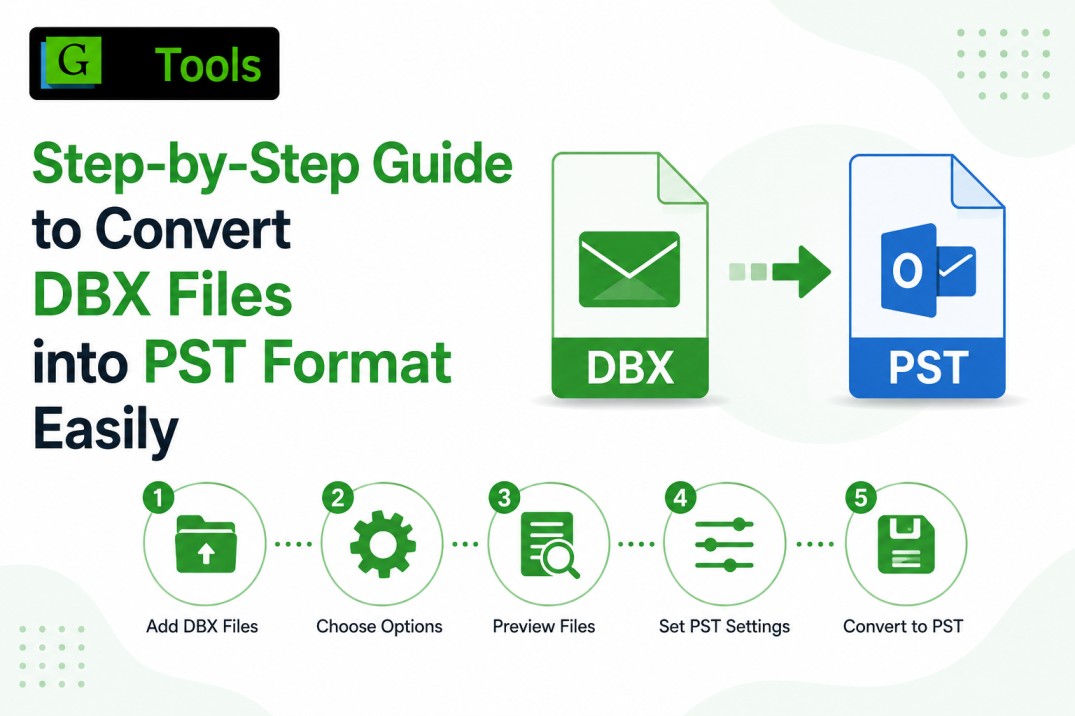
Step-by-Step Guide to Convert DBX Files into PST Format Easily
-

- September 08th, 2026
- 5,227 views
Introduction
Moving email data from legacy email platforms to modern Outlook environments remains a significant challenge for individuals. The DBX file is the native mailbox format of Outlook Express and many organizations and individual users still have important email records stored in DBX files. Outlook Express is no longer supported, and archived DBX data will become harder to access. Gaintools DBX toPST converter allows users to save important email correspondence in DBX files and view them in Microsoft Outlook. Outlook relies heavily on PST files to store the email messages, contact lists, calendar entries, notes, and other information of the mailbox. So, DBX to PST conversion is a viable solution to maintain email continuity as well as improve data accessibility.
Understanding DBX and PST File Formats
DBX is a file extension for the Outlook Express e-mail storage files. A separate DBX file was created for each folder (Inbox, Sent Items, Drafts, Deleted Items). Outlook Express was a good choice for its users for years, but it has been discontinued, and for organizations with legacy email archives, there are compatibility issues.
Microsoft Outlook has a PST (Personal Storage Table) file as the default storage format. These files allow for centralized storage and management of mailbox data. Latest versions of Outlook support PST files, providing better access, security, and future usability.
Significance of DBX to PST Conversion
Historical email records, which contain valuable business information, are kept by many organizations. Moving these records to PST format helps ensure that you retain access to important communications.
Typical benefits include
* Better Microsoft Outlook support
* Centralised e-mail management
* Improved mailbox organization
* Email archive
* Greater access to archived communications
* Transitioning to modern email environments
Thus, PST is the best format for Outlook Express data preservation with these advantages.
Legacy DBX File Issues
DBX files store a wealth of information, but there are some obstacles to working with them in modern environments.
Limited Software Support
Support for Outlook Express has ended and locating DBX files is becoming harder.
Compatibility issues
Newer versions of Microsoft Outlook cannot open DBX files directly. They have to be converted first in order to access the data.
Data Loss Risk
You can run into trouble getting rid of older backup files without the right migration strategies, especially if they are in DBX format.
Large e-mail archives
Many organizations have archived a large collection of DBX files over the years and need a fast method to convert them to an Outlook-readable format.
Important features retained in the conversion
A good DBX to PST migration process will retain the complete email information during migration.
Main features include:
* E-mail messages
* Sender & recipient information
* Subject of the email
* Information on date and time
* Email format
* Attachments
* File organization
* Tags for metadata
These factors are necessary to maintain the converted PST file as a perfect copy of the original mailbox structure.
Benefits of PST Email Management
Users of Microsoft Outlook enjoy many advantages of PST files.
Centralised Access To Mailboxes
Manage your emails from a single Outlook environment without any legacy software.
Improved data organization
Users can more easily organize folders, find messages and take control of archived communications.
Better backup management
PST files make it easy to create backups and long-term email storage strategies.
Outlook compatibility
Outlook has many versions that can use PST files so they will continue to be usable as technology evolves.
Professional DBX to PST Converter Software
To ease the migration process many users prefer using dedicated DBX to PST Converter programs. The purpose of these applications is to migrate mailbox data accurately and preserve the integrity of the email.
Typical capabilities include:
* Bulk DBX file conversion
* Attachments preservation
* Retaining the folder structure
* Large mailbox support
* User-friendly interface
* Migration with High Performance
Specialized conversion solutions reduce manual effort and improve migration accuracy for individual users and organizations.
DBX to PST Migration – Practical Uses
DBX files can be converted to PST for professional and personal reasons.
Common scenarios include:
* Retirement plans for Outlook Express
* Business email archive upgrade
* Retrieve email backups
* Historic Communication Preservation
* Attempts to migrate corporate data
Long-term record storage
These applications underscore the need for dependable techniques for email conversion.
Dealing with large email archives
Many organizations have large stores of legacy email. These records will remain available to satisfy compliance, auditing, customer service, and operational requirements if properly migrated to PST format. The well-organized PST archive allows easy access to the information and helps to maintain the good habits of managing emails. This helps organizations to continue to operate and to retain valuable records of communication.
Conclusion
Conversion of DBX files to PST format is still a good way to keep the Outlook Express email data safe and accessible in Microsoft Outlook. PST Files are more reliable over time, more organized, and more compatible than the old DBX storage. Whether it is personal email backup or large business archive management, the use of DBX to PST conversion is a practical way to manage modern email. The core mailbox elements are preserved, and Outlook compatibility is ensured, so users will have secure access to important communication records for years to come.
Visit here: https://www.gaintools.com/dbx/pst/