Dual SIM Cards for Flexible Communication, Travel, and Everyday Use
-

- Published Updated
- 59 views
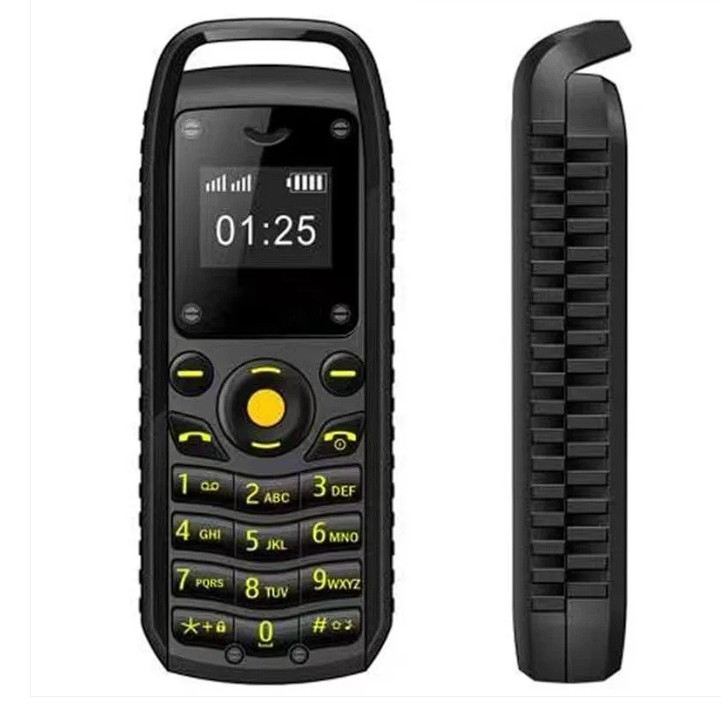
Using two SIM cards in one mobile phone can make it easier to manage different phone numbers, separate personal and work calls, or stay connected while travelling. Dual SIM functionality is available in various smartphones, but the supported SIM types and network features depend on the device. Before choosing a phone or SIM-related accessory, it is important to understand compatibility, network support, and how each SIM slot works. Explore the Dual SIM Card collection at Global Swanky to review available products and check their individual specifications.
What Is a Dual SIM Card?
The term dual SIM commonly describes a mobile phone that can use two SIM connections. A SIM, or Subscriber Identity Module, identifies a subscriber to a mobile network and enables supported services such as calls, text messages, and mobile data.
A dual SIM phone can be useful for people who want to manage two numbers on one device. For example, one number might be used for work while another is reserved for personal communication. Travellers may also use a local SIM alongside their usual number, provided the phone and network arrangements support that setup.
Dual SIM functionality does not mean every phone can use two networks in exactly the same way. Some devices use two physical SIM cards, some support one physical SIM and an eSIM, and others offer different configurations. Network compatibility, supported bands, carrier restrictions, and regional model differences should all be checked before purchasing.
It is also worth distinguishing a dual SIM phone from a standalone SIM card. A SIM card provides network identification, while the phone's hardware and software determine whether two SIM connections can be managed.
Key Features and Benefits
Dual SIM functionality offers several practical advantages, although the exact features depend on the phone and mobile network.
Two Phone Numbers: Manage separate personal and work numbers on a compatible device.
Convenient Communication: Access supported calling and messaging services through two SIM connections.
Flexible Network Choices: Use compatible SIMs from different mobile operators where the phone is unlocked and supported.
Travel Convenience: Consider a local SIM for travel while keeping another number available, subject to device and carrier support.
Call and Message Management: Choose which supported SIM to use for particular calls or messages.
Mobile Data Selection: Select a preferred data SIM on phones that provide this setting.
Number Separation: Keep different contacts and communication needs associated with separate numbers.
Physical SIM Options: Some devices accommodate two physical SIM cards.
eSIM Compatibility: Certain phones combine a physical SIM with a digital eSIM, depending on the model.
Device-Specific Controls: Settings may allow users to label SIMs, select defaults, and manage network preferences.
Not every dual SIM phone supports two active connections in the same way. Check the product documentation to understand which SIM combinations, network types, and features are available.
Different Types of Dual SIM Options
Understanding the common configurations can help you decide which setup suits your needs.
Dual Physical SIM Phones
Dual physical SIM phones have slots for two removable SIM cards. Depending on the device, the slots may support different SIM formats or network capabilities.
This arrangement can be convenient for people who already have two physical SIM cards and want to use them in one phone. Before purchasing, confirm whether the phone supports two active SIM connections and whether both slots support the network services you need.
Some devices share a tray slot with a memory card, so installing two SIM cards may affect the ability to use expandable storage. Review the manufacturer's specifications to confirm the available configuration.
Physical SIM and eSIM Phones
An eSIM is a digital SIM profile stored in compatible device hardware rather than on a removable card. Some smartphones support one physical SIM and one eSIM, allowing two mobile subscriptions to be configured on the same device.
This option can be useful when a carrier offers eSIM activation and the phone supports the required service. Availability varies by device model, region, and mobile operator.
Before relying on this configuration, confirm that your carrier supports eSIM, that your phone is compatible, and that the device permits the intended combination of active lines.
Dual Standby SIM Phones
Many dual SIM phones use a dual standby arrangement. Both SIMs can generally remain registered and available while the phone is idle, but the way they behave during calls depends on the device.
On some models, an incoming call on one line may be unavailable while the other line is being used. Other devices may offer additional call-handling features, depending on their hardware and software.
Check the manufacturer's description to understand how incoming calls, outgoing calls, and mobile data work when both SIMs are installed.
Dual Active SIM Phones
Some phones support a dual active configuration that allows both SIM connections to remain active in ways that go beyond typical dual standby operation. The exact capabilities depend on the device design and supported networks.
Do not assume that a phone is dual active simply because it has two SIM slots. If simultaneous call availability is important, review the official specifications and confirm the behaviour with the manufacturer or carrier.
Travel SIM Setups
Travellers sometimes use one SIM for their regular number and another for local calls or mobile data. This can provide flexibility when the phone supports both subscriptions and the relevant networks.
Before travelling, check roaming charges, local SIM registration rules, network compatibility, data plans, and whether the phone is carrier-unlocked. Also confirm which SIM is selected for mobile data to avoid unexpected charges.
Everyday Uses of Dual SIM Phones
A dual SIM setup can support different communication needs throughout the day.
Work and Personal Calls: Keep business and personal numbers available on one device.
Travel and Roaming: Use a compatible local subscription while retaining access to another number.
Separate Mobile Plans: Compare plans from different operators and choose suitable options for calls or data.
Family Communication: Manage two numbers where separate subscriptions are useful.
Mobile Choose a preferred data connection on supported phones.
Contact Management: Label SIMs to help identify the intended line when making calls or sending messages.
Flexible Connectivity: Use different supported networks when coverage and device compatibility allow.
Convenient Device Use: Reduce the need to carry two phones when one compatible dual SIM device meets your requirements.
Actual benefits depend on coverage, carrier policies, phone settings, and the services included in each mobile plan.
How to Choose the Right Dual SIM Option
Selecting a suitable dual SIM phone or related product starts with understanding your current subscriptions and intended use.
Confirm the SIM Configuration
Check whether the device supports two physical SIM cards, a physical SIM and an eSIM, or another configuration. Read the specifications for the exact model and regional version rather than relying on the product family name alone.
If you already own two SIM cards, confirm their supported size and whether both can be installed together.
Check Network Compatibility
Verify that the phone supports the network technologies and frequency bands used by your mobile operators. Compatibility can vary between regional models, even when their names are similar.
If you plan to use SIMs from different operators, check whether the phone is unlocked and whether both carriers support the device.
Review Dual SIM Functionality
Consider how the two SIMs behave during calls, messages, and mobile data use. Check whether the phone supports dual standby or another configuration and whether it can receive calls on one line while the other is being used.
If simultaneous availability matters to you, confirm this specific feature before purchasing.
Compare Mobile Data Options
Some phones let you select one SIM as the default for mobile data and use the other for calls or messages. Other settings may vary by operating system and device.
Review how the phone handles data switching, roaming, and default SIM selection. Understanding these controls can help you avoid using the wrong subscription or incurring unwanted data charges.
Check eSIM and Carrier Support
If you prefer an eSIM setup, make sure the phone supports eSIM activation in your region and that your mobile operator offers compatible service. Some carriers may require an activation code, app, or account verification.
Do not assume that every dual SIM phone supports eSIM. The product specifications should explicitly identify the supported SIM arrangement.
Review Product Details
Before ordering, check the product description, model number, included accessories, warranty information, and return conditions. If you are buying a SIM-related accessory rather than a complete phone, confirm its intended use and compatibility.
Ask the seller or carrier for clarification when essential information is missing.
Dual SIM Setup and Care Tips
Once you have a compatible device and active subscriptions, a few simple practices can make managing two SIMs easier.
Label each SIM in the phone settings, such as “Work” and “Personal.”
Set the preferred SIM for calls, messages, and mobile data where supported.
Review roaming and international calling settings before travelling.
Confirm which line is using mobile data, especially when both subscriptions have different plans.
Keep SIM cards in their protective holders when they are not installed.
Handle SIM cards and trays carefully to avoid damaging the contacts or slot.
Use the phone manufacturer's instructions when inserting or removing a SIM.
Keep account and activation information secure.
Contact the carrier if a SIM fails to register or activate.
Review your mobile plans periodically to ensure they still meet your communication needs.
If a SIM is not detected, check that it is correctly seated and that the carrier service is active. Persistent problems may require help from the network operator or a qualified technician.
Explore Dual SIM Card Options at Global Swanky
Dual SIM functionality can make everyday communication more flexible by helping users manage two mobile subscriptions on a compatible device. The best option depends on the SIM configuration, carrier support, network compatibility, and the way you intend to use each line.
Visit Global Swanky to explore available electronics and mobile accessories. Browse the Dual SIM Card collection, review each product's details, and verify compatibility before choosing an option for your needs.
Frequently Asked Questions
What Does Dual SIM Mean?
Dual SIM generally refers to a phone that supports two SIM connections. Depending on the model, these may be two physical SIM cards or a physical SIM combined with an eSIM. The supported configuration varies by device.
Can I Use Two Different Mobile Networks on One Phone?
Often, yes, if the phone supports both SIMs, is unlocked when necessary, and is compatible with the operators' networks. Coverage, carrier restrictions, and regional device specifications can affect whether both connections work as expected.
Can Both SIMs Receive Calls at the Same Time?
This depends on the phone's dual SIM design. Many devices use dual standby, and one line may be unavailable during a call on the other. Check the manufacturer's documentation for the exact call-handling behaviour.
Can I Use One SIM for Calls and Another for Mobile Data?
Many dual SIM phones allow users to select a preferred SIM for mobile data and choose a default line for calls or messages. The available settings depend on the phone and its software. Confirm the selected data SIM to help avoid unexpected charges.
What Should I Check Before Buying a Dual SIM Phone?
Check the physical SIM and eSIM configuration, supported network bands, carrier compatibility, unlocked status, dual SIM behaviour, mobile data settings, and regional model specifications. Confirm these details for the exact device before purchasing.