Best Free AI Image Generators in 2026
-

- Published Updated
- 1,736 views
Discover the best free AI image generators in 2026. Compare features, benefits, quality, use cases, pricing, and expert tips, plus see how Xelta AI fits into your workflow.
Best Free AI Image Generators in 2026: Create High-Quality Images Without Paying
Creating a good-looking image used to mean opening Photoshop, finding a stock photo, hiring a designer, or spending hours adjusting colors and layouts.
That has changed.
In 2026, you can describe an image in simple words and AI can turn that idea into a visual within seconds. Whether you need a product image, blog illustration, Instagram post, YouTube thumbnail, concept art, advertisement, or realistic photo, AI image generators have made visual creation much easier.
The interesting part is that you don't always need to pay.
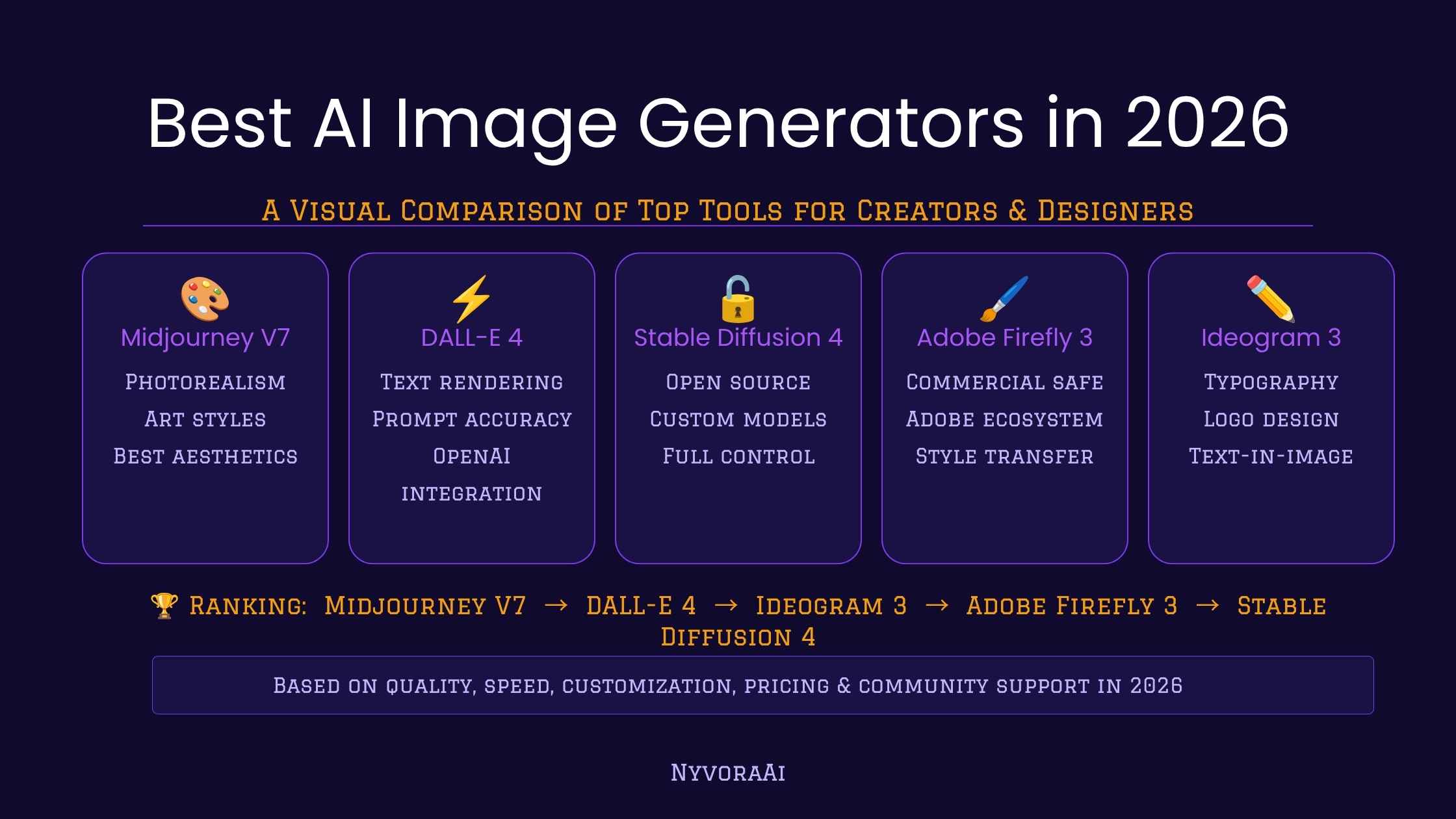
Several AI image platforms now provide free credits, free tiers, or limited free generations. Recent 2026 comparisons show tools such as Leonardo AI, Ideogram, Google-powered image generation, Adobe Firefly, and open-source models competing strongly on quality and free access.
But there is a catch: “free” does not always mean unlimited.
Some platforms limit daily generations. Others use credits, slower queues, watermarks, or restrict certain features.
So, instead of simply asking “Which is the best free AI image generator?”, a better question is:
Which AI image generator is best for the type of images I actually want to create?
This guide answers that question in simple language and also explains where Xelta AI fits into the modern AI content-creation workflow.
Quick Answer — What Is the Best Free AI Image Generator in 2026?
There isn't one tool that is perfect for everyone.
Your best option depends on what you want to create.
Your Requirement |
Tools Worth Considering |
Easy AI image creation |
Google/Gemini-based tools |
Text inside images |
Ideogram |
Free daily generations |
Leonardo AI |
Artistic images |
Midjourney |
Creative ecosystem |
Adobe Firefly |
Open-source control |
Stable Diffusion / FLUX ecosystem |
Social media designs |
Canva |
Multiple AI content needs |
Xelta AI |
Recent 2026 testing also shows that free limits vary considerably: some services provide daily tokens, while others offer a smaller number of generations or weekly credits.
The key point: don't choose a tool only because it says “free.” Check the quality, limits, commercial-use rights, editing features, and workflow.
What Is a Free AI Image Generator?
A free AI image generator is a tool that uses generative AI to create images from instructions called prompts.
For example, instead of searching for:
“modern coffee shop image”
you could type:
“A modern Indian coffee shop at sunset, warm lighting, wooden interiors, realistic photography, cinematic composition.”
The AI interprets your description and generates a new image.
What Can You Create?
You can use AI image generators for:
Blog images
Product photography
Social media graphics
YouTube thumbnails
Advertisements
Posters
Illustrations
Concept art
Website banners
Character designs
Educational graphics
Presentation visuals
Why Are Free AI Image Generators So Popular in 2026?
The biggest reason is simple: they save time.
A small business owner may not have a graphic designer.
A blogger may not want to spend hours searching stock websites.
A social media manager may need 20 different creatives every week.
An AI image generator can help create the first visual concept in seconds.
Traditional Image Creation
The traditional process may look like:
Idea → Search/Create → Design → Edit → Resize → Export
AI Image Creation
With AI:
Idea → Prompt → Generate → Improve → Export
That doesn't mean human designers are no longer useful. Quite the opposite. AI is often most useful when a human provides the creative direction and checks the final result.
Features to Look for in a Free AI Image Generator
Not every free AI image tool is the same.
Before choosing one, look for these features.
Text-to-Image Generation
This is the basic feature that converts written prompts into images.
A good generator should understand details such as:
Lighting
Camera angle
Composition
Style
Environment
Subject
Mood
Image Editing
Generation is only half the job.
Look for tools that let you:
Remove objects
Replace backgrounds
Expand images
Modify areas
Change styles
Create variations
Image-to-Image Generation
This allows you to provide an existing image and ask AI to transform or redesign it.
For example:
Product photo → Luxury advertisement
or
Sketch → Finished illustration
Multiple Styles
A useful AI image generator should support different visual styles, such as:
Photorealistic
3D
Illustration
Anime
Cinematic
Minimalist
Watercolor
Digital art
Good Text Rendering
This is especially important for advertisements, posters and social media graphics.
Ideogram is frequently highlighted in 2026 comparisons for its ability to handle text inside generated images.
Best Free AI Image Generators in 2026
Instead of ranking every tool simply from #1 to #10, let's look at what each platform is actually good at.
1. Leonardo AI — Great for Frequent Free Creation
Leonardo AI is popular among creators who want multiple styles, creative controls and a free usage option.
Recent 2026 comparisons report a daily free-token model, although exact limits can change.
Best for:
Digital art
Game assets
Creative images
Concept art
Social content
Good choice if: you want to experiment with many visual styles.
2. Ideogram — Great for Text in Images
If your image contains a headline, poster copy, logo-style text or advertising message, Ideogram is worth considering.
Its strength is accurate text rendering compared with many general-purpose image generators.
Best for:
Posters
Typography
Social media creatives
Advertisements
Graphic designs
3. Google AI Image Generation — Easy for Everyday Users
Google's AI ecosystem has made image creation increasingly accessible. In 2026, Google has also been expanding AI image creation into search experiences.
Best for:
Quick concepts
Everyday image creation
Beginners
Conversational prompting
4. Adobe Firefly — Good for Creative Workflows
Adobe Firefly is particularly attractive to people already working with Adobe's creative ecosystem.
Best for:
Designers
Marketing teams
Creative professionals
Image editing
Commercial creative workflows
5. Stable Diffusion / FLUX Ecosystem — Best for Control
Open models can be attractive if you want more control over models, workflows and generation settings.
The downside is that local/open-source workflows can be much more complicated for beginners.
Best for:
Developers
AI enthusiasts
Advanced creators
Custom workflows
6. Canva AI — Best for Beginners and Social Media
Canva is not only an image generator. It combines AI generation with templates and design tools.
Best for:
Instagram posts
Presentations
Marketing creatives
Posters
Business graphics
7. Midjourney — Excellent for Artistic Quality
Midjourney remains a popular choice for highly artistic and stylized imagery.
However, it should not automatically be included in a “free AI image generator” list because free availability can change and paid access may be required. Current 2026 comparisons list Midjourney as a paid option rather than a standard free-tier tool.
Best for:
Concept art
Cinematic visuals
Illustration
Creative campaigns
Free AI Image Generators Compared
Tool |
Best For |
Free Access |
Beginner Friendly |
Text in Image |
Leonardo AI |
Creative images |
Yes* |
Yes |
Good |
Ideogram |
Typography |
Yes* |
Yes |
Excellent |
Google AI |
Everyday creation |
Yes* |
Very Easy |
Good |
Adobe Firefly |
Creative workflow |
Limited* |
Yes |
Good |
Stable Diffusion / FLUX |
Advanced control |
Depends on setup |
Moderate/Hard |
Depends |
Canva |
Social designs |
Yes* |
Very Easy |
Good |
Midjourney |
Artistic visuals |
Paid access may apply |
Moderate |
Good |
Xelta AI |
AI content workflow |
Check current plan |
Yes |
Depends on tool/model |
*Free access, credits and limits can change. Always check the provider's current terms before relying on a specific allowance.
Benefits of Using AI Image Generators
1. Save Time
Instead of searching through hundreds of stock images, you can describe exactly what you want.
2. Reduce Design Costs
AI can help small businesses create initial visual concepts without hiring a designer for every small requirement.
3. Create More Content
Social media managers can quickly generate different creative concepts for campaigns.
4. Experiment Freely
You can test:
Different backgrounds
Different products
Different compositions
Different colors
Different visual styles
5. Create Unique Visuals
Instead of using the same stock photo that appears on hundreds of websites, AI lets you create a more customized visual.
Real Examples of AI Image Generation
Example 1 — E-commerce Product
Imagine you sell skincare products.
Instead of photographing your product in five different environments, you could create concepts such as:
“Luxury skincare bottle on a marble table with soft morning light and green botanical elements.”
This can help your creative team explore campaign directions quickly.