Best OST to PST Converter Software
-
- Published Updated
- 1,646 views
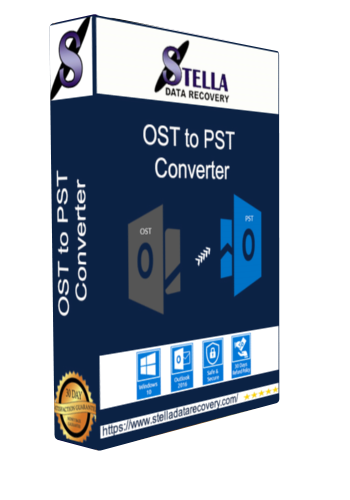
Best OST to PST Converter Software: Features, Benefits, and Selection Guide
An OST file is an important part of many Microsoft Outlook environments. It stores an offline copy of mailbox data and allows users to work with email information when connected to an Exchange or Microsoft 365 account. However, situations such as account deactivation, Exchange migration, Outlook profile problems, orphaned OST files, or mailbox recovery can create a need to access OST data independently.
This is where OST to PST converter software can help. These applications are designed to extract supported mailbox information from an OST file and save it in PST format.
But what makes the best OST to PST converter software suitable for a particular situation? The answer depends on the condition of the OST file, the amount of data involved, required output, security requirements, and the features provided by the software.
What Is OST to PST Converter Software?
OST to PST converter software is a specialized utility that converts or exports accessible mailbox data from an OST file into a PST file.
Think of an OST file as an offline working copy of mailbox information and a PST file as a portable Outlook data container. When the original Outlook account or server connection is unavailable, specialized software may help extract supported information from the OST file.
Depending on the product, the software may recover or export:
- Emails
- Attachments
- Contacts
- Calendars
- Tasks
- Notes
- Journals
- Deleted or archived items, where supported
The exact capabilities vary between applications, so users should verify the vendor's specifications before purchasing.
Why Do Users Need OST to PST Conversion?
There are several common scenarios where OST conversion becomes useful.
Orphaned OST Files
An OST file may become orphaned when the associated Exchange or Microsoft 365 account is no longer available. Traditional Outlook functionality may not provide a direct way to open such a file independently.
A dedicated converter can scan the OST file and attempt to extract available mailbox information.
Outlook Profile Problems
Changes to Outlook profiles or account configurations can sometimes make previously stored mailbox data difficult to access. Conversion software can provide an alternative workflow for extracting supported information.
Exchange or Microsoft 365 Migration
During migration projects, administrators may need to preserve historical mailbox information. Converting OST data into PST can be useful as part of certain migration and archival workflows.
Employee Offboarding
When an employee leaves an organization, businesses may need to preserve business-related email information according to their internal retention policies. An OST-to-PST workflow can be one possible method when the required data exists in an accessible OST file.
What Makes the Best OST to PST Converter Software?
There is no single converter that is ideal for every OST file. Instead, users should compare products based on their actual requirements.
1. OST File Scanning
A reliable converter should provide an effective scanning mechanism for analyzing the selected OST file.
After scanning, the application should ideally display the available mailbox folders and data so users can determine what can be processed.
2. PST Export
PST export is the primary requirement for an OST-to-PST conversion tool. Verify that the resulting PST is compatible with the Outlook environment where you intend to open or import it.
3. Folder Structure Preservation
Mailbox organization can become complicated when an OST contains years of communication.
The software should preserve supported folders such as:
- Inbox
- Sent Items
- Drafts
- Deleted Items
- Contacts
- Calendar
- Tasks
- Custom folders
Maintaining the folder hierarchy can significantly reduce manual organization after conversion.
4. Attachment Handling
Emails often contain business documents, images, spreadsheets, PDFs, and other files. A suitable converter should preserve supported attachments during export.
Before selecting a product, check whether attachments are included in the conversion and whether their relationship with the original messages is maintained.
5. Preview Functionality
A preview option allows users to inspect mailbox contents before exporting them.
This can be particularly useful when working with large OST files because users can identify required folders and messages before starting the complete conversion process.
6. Selective Conversion
Not every conversion requires the entire mailbox.
Selective conversion allows users to process specific folders or supported items. This can reduce processing time and help create smaller PST files.
7. Batch Conversion
Businesses and IT professionals may have multiple OST files. A batch-processing feature can simplify repetitive conversion tasks by allowing several files to be processed within a single workflow, where supported.
8. Filtering Options
Advanced filtering can be useful when users need only a particular subset of mailbox data.
Depending on the software, filters may include date ranges, folders, or other supported criteria.
9. Recovery Support
Some OST-to-PST products include features designed to handle damaged, corrupted, or inaccessible OST files.
However, no software can guarantee recovery from every damaged file. The success rate depends on the physical condition and logical structure of the source OST file.
How Does OST to PST Conversion Work?
Although the interface differs between products, the general workflow is straightforward.
Step 1: Install the converter
Install the selected OST to PST application on a compatible computer.
Step 2: Select the OST file
Browse to the location of the OST file or use an automatic file-location feature if provided.
Step 3: Scan the file
The application analyzes the OST structure and identifies available mailbox data.
Step 4: Preview the contents
Review folders, emails, contacts, calendars, and other supported items.
Step 5: Select required data
Choose the complete mailbox or specific folders for conversion.
Step 6: Choose PST
Select PST as the output format and configure any available options.
Step 7: Start conversion
The software processes the selected data and creates the PST file.
Step 8: Verify the output
Open or import the resulting PST in a compatible Outlook environment and check important emails, attachments, folders, and other required data.
Best OST to PST Converter Software: Key Comparison Criteria
Rather than selecting software solely because it claims to be the “best,” compare it against your specific requirements.
| Feature | Why It Matters |
|---|---|
| OST scanning | Identifies available mailbox data |
| PST export | Creates Outlook-compatible output |
| Preview | Helps inspect data before conversion |
| Folder preservation | Maintains mailbox organization |
| Attachment recovery | Preserves associated files |
| Selective conversion | Processes only required data |
| Batch processing | Useful for multiple OST files |
| Filtering | Helps reduce unnecessary processing |
| Recovery support | Useful for problematic OST files |
| Security | Important for confidential mailbox data |
| Trial version | Allows testing before purchase |
| Technical support | Useful for complex conversion projects |
Security Considerations
OST files may contain sensitive personal and business communications. Therefore, security should be considered alongside conversion functionality.
Before installing software, check:
- Whether processing occurs locally or through a cloud service
- What permissions the application requires
- How authentication is handled
- Whether temporary files are created
- Whether the vendor publishes privacy information
- Whether the software is compatible with your organization's security policies
- Whether the installer comes from a legitimate vendor
For confidential business data, organizations should test the software in an appropriate environment before processing production mailbox files.
Free vs. Professional OST to PST Converter Software
Free tools may be sufficient for simple conversion requirements, but they can have limitations involving file size, number of items, recovery features, batch processing, or output options.
Professional software may provide additional capabilities such as advanced scanning, selective conversion, preview, filtering, batch processing, and support for problematic OST files.
The right choice depends on the size and condition of your OST files and the features required for your project.
Who Can Use OST to PST Converter Software?
OST conversion software can be useful for:
IT administrators: Managing mailbox migration and data preservation.
Businesses: Maintaining historical email records and supporting employee offboarding workflows.
Outlook users: Accessing information stored in old or orphaned OST files.
Data recovery professionals: Processing inaccessible or damaged mailbox files.
Migration specialists: Preparing mailbox data for supported migration and archival workflows.
Frequently Asked Questions
Can OST be converted to PST?
Yes. Dedicated OST-to-PST software can extract supported mailbox information and save it as a PST file.
Can I convert OST to PST without Outlook?
Some third-party applications are specifically designed to process OST files without requiring access to the original Outlook profile. Always check the individual product's system requirements.
Can corrupted OST files be converted?
Some applications include recovery capabilities for corrupted OST files. However, results depend on the severity and type of file damage.
Does OST to PST conversion preserve attachments?
Many professional applications support attachment conversion, but this should be confirmed in the product documentation before purchase.
Is OST to PST conversion safe?
The safety of a conversion depends on the software, source file, processing method, and security practices used. Creating a backup of the original OST file before conversion is a sensible precaution.
Conclusion
Choosing the best OST to PST converter software starts with identifying your specific conversion requirements. Features such as reliable OST scanning, PST export, folder hierarchy preservation, attachment handling, preview, selective conversion, batch processing, filtering, and recovery support can make a converter more useful for different scenarios.
For simple, healthy mailbox data, standard Outlook or Microsoft-supported approaches may be sufficient. For orphaned, inaccessible, large, or problematic OST files, specialized conversion software may provide additional capabilities.
Before purchasing, evaluate the software with your own OST file when a trial is available, review its security practices, confirm compatibility with your Outlook environment, and compare the features that matter most to your migration or recovery project.