Systeme.io vs. Traditional WordPress Stacks: Which Architecture Saves More Time and Money?
-

- Published Updated
- 2,009 views
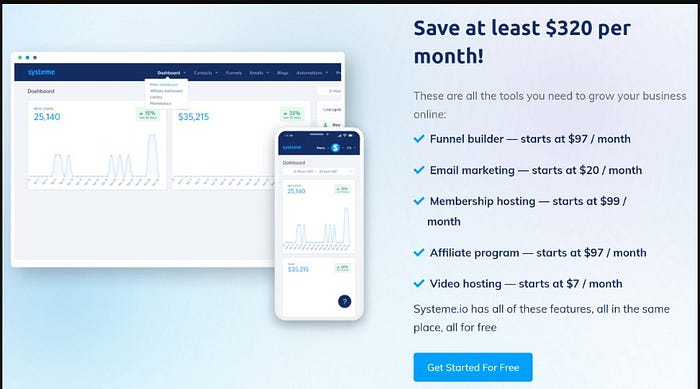
For over a decade, building an online publishing or digital sales platform meant one thing: setting up a custom WordPress site. You bought hosting, installed a theme, configured page builders, and stitched together half a dozen plugins to handle email opt-ins, payment collection, and course delivery.
While WordPress offers unmatched flexibility, it also carries heavy technical maintenance, security vulnerabilities, and hidden recurring plugin costs.
In recent years, unified SaaS platforms like Systeme.io have gained traction by taking the opposite approach: replacing the plugin stack with an all-in-one ecosystem.
I set up identical sales funnels on both architectures—a classic WordPress stack versus an integrated Systeme.io workspace—to evaluate speed, maintenance demands, email deliverability, and overall total cost of ownership. Here is how the two stacks compare head-to-head.
The Architectural Battleground: Modular vs. Monolithic
Understanding the difference between these two systems comes down to how their underlying parts interact.
- The WordPress Approach (Modular): You own your host, database, and files. Every function relies on a specialized third-party plugin (e.g., Elementor for page design, WooCommerce or CartFlows for checkout, FluentCRM or Mailchimp for email automation, and LearnDash for course delivery).
-
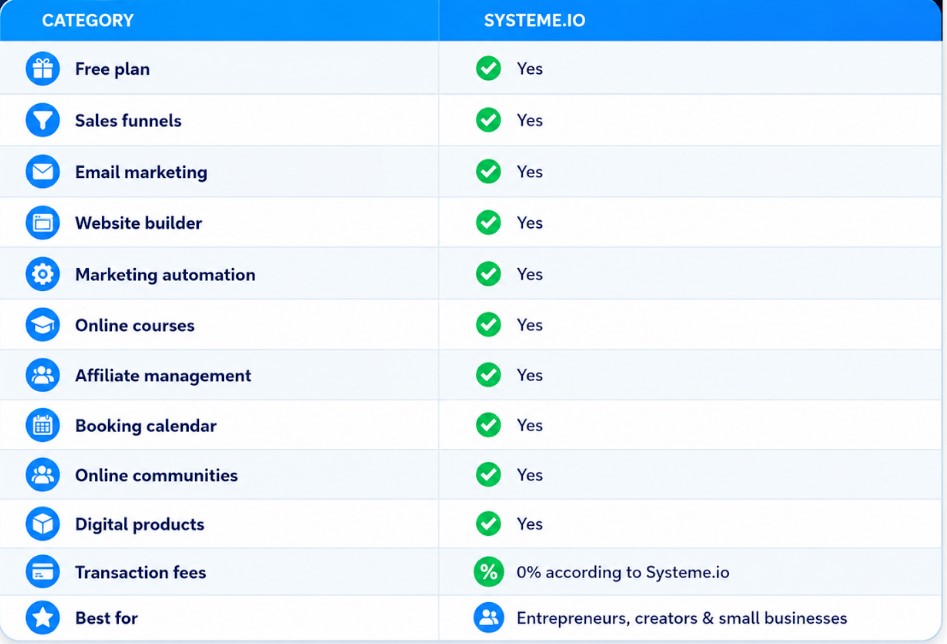
The Systeme.io Approach (Integrated): A single managed SaaS environment where landing pages, email lists, checkout logic, and membership portals share a central database natively

Head-to-Head Comparison: 4 Critical Operational Vectors
| Feature / Metric | Traditional WordPress Stack | Systeme.io All-in-One |
| Initial Deployment Time | 6 to 12 Hours (Database, SSL, Plugins) | 30 to 45 Minutes (Template + DNS) |
| Monthly Software Overhead | $40 – $150/month (Hosting + Plugins) | $0 – $27/month (Free tier available) |
| Ongoing Maintenance | High (Plugin updates, PHP versioning) | Zero (Handled by platform engineering) |
| Data Integration | Complex (Requires Zapier or Webhooks) | Native (Single unified database) |
1. Deployment Speed & Workflow Friction
On WordPress, building a simple lead capture funnel requires configuring several independent software tools:
- Provisioning cloud server hosting and setting up SSL certificate records.
- Installing security plugins, caching systems, and page builders.
- Setting up database tables for form submissions and connecting an external SMTP service (like SendGrid or Amazon SES) so transactional emails don't end up in spam.
On Systeme.io, deployment happens inside a single administrative interface. You pick a template, customize typography and content, set an automated tag rule when the form submits, and hit publish. Because the database, email server, and page renderer share an internal API, you don't need to configure webhooks, API keys, or database synchronization tasks.
2. Maintenance Burden and Security Risks
The biggest hidden cost of a self-hosted WordPress stack is ongoing site health management:
-
Plugin Conflict Errors: Updating a page builder plugin can unexpectedly crash your LMS plugin or break checkout payment fields.
-
Security Vulnerabilities: Outdated plugins serve as primary attack vectors for brute-force hacks and malicious script injections.
-
Backup Management: You must independently configure, store, and test off-site database backups to prevent data loss.
Systeme.io operates as a fully managed SaaS infrastructure. Platform updates, server security patches, SSL renewals, database optimizations, and system backups happen automatically behind the scenes. You surrender custom code flexibility in exchange for zero server maintenance downtime.
3. Customization and Design Control
This is where WordPress retains its traditional advantage.
If you require custom JavaScript, bespoke CSS animations, dynamic WooCommerce hook modifications, or complex database queries, a self-hosted WordPress site provides absolute freedom. You own the code base and can modify every line of PHP.
Systeme.io provides a streamlined drag-and-drop page editor. While fast and mobile-responsive, it lacks advanced design controls like deep CSS animations, custom PHP functions, or complex custom pop-up triggers. It is built strictly for high-converting marketing layouts, not custom software engineering projects.
The Financial Breakdown: Total Cost of Ownership
To run a basic digital product funnel with a 2,000-person email list, here is how the real annual costs stack up:
WordPress Stack Annual Estimate:
-
Managed Hosting (Kinsta/SiteGround): $180/year
-
Page Builder (Elementor Pro): $59/year
-
LMS Plugin (LearnDash): $199/year
-
Email Marketing (ConvertKit/ActiveCampaign): $350/year
-
Total Annual Cost: ~$788/year
Systeme.io Annual Estimate:
-
Free Plan Tier (Up to 2,000 contacts): $0/year
-
Startup Plan (If upgrading to 5,000 contacts): $324/year
-
Total Annual Cost: $0 to $324/year
The Verdict: Which Architecture Fits Your Business?
Choose a WordPress Stack if you are an agency or technical developer who demands complete code ownership, custom design flexibility, and complex e-commerce plugin configurations.
Choose Systeme.io if you are a creator, coach, or small business owner who wants to eliminate technical maintenance, lower software subscription bills, and deploy functional sales funnels in hours rather than days.
Before you commit your time or migrate your existing business, there are a few critical limitations you need to know.
👉 I put together a detailed, hands-on guide covering the full pricing breakdown, real pros & cons, and hidden features.
Read our complete 2026