Can the Best WordPress Auction Plugins Make Selling More Exciting?
-

- Published Updated
- 2,371 views
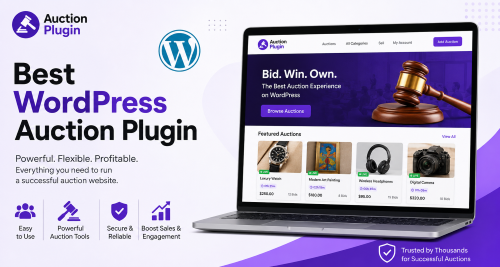
Online shoppers are used to seeing products with fixed prices. They browse, compare, add an item to the cart, and check out. But what if your store could give customers another way to buy? Auctions can bring competition and excitement into the shopping experience while giving sellers a different way to present selected products.
For WordPress website owners, adding auction functionality does not have to mean building an auction website from scratch. The right plugin can provide the tools needed to create bidding-based listings directly on an existing website.
However, choosing the right option can be challenging. There are many solutions available, and each one may approach auctions differently. Exploring the Best WordPress Auction Plugins can help store owners understand what to look for before making a decision.
Why Are Auctions Different From Regular Online Selling?
A fixed-price product gives customers a simple choice: buy it or leave it. An auction creates another kind of interaction.
When customers place bids, they become part of the selling process. They may check the current price, return later, and decide whether they want to increase their offer.
This can make certain products feel more interesting. A rare collectible, artwork, vintage product, or limited item may attract more attention when customers have the opportunity to compete for it.
The key is knowing when an auction makes sense. Not every product needs bidding, so store owners should use auctions where competition can add genuine value.
What Should a Good WordPress Auction Plugin Do?
A useful auction plugin should make life easier for both the website owner and the customer.
From the seller's side, creating an auction should be straightforward. You should be able to enter the product information, decide on a starting price, set the auction duration, and manage the bidding rules without unnecessary technical work.
For customers, the experience should be just as simple. They should immediately understand the current bid, auction status, remaining time, and how they can participate.
The best setup is one that stays in the background. Customers should focus on the product and the bidding rather than trying to understand complicated software.
Why Is Easy Auction Management Important?
Running one auction is relatively simple. Managing several auctions at the same time is a different story.
A busy store may have auctions starting and ending on different days. Without proper management tools, keeping track of everything can become frustrating.
Features such as scheduled start and end times can make this process much easier. Instead of manually activating each auction, the store owner can prepare listings in advance.
This is particularly useful for businesses that run regular auction events. Planning several listings ahead of time can save effort and reduce mistakes.
How Does Bidding Create Customer Engagement?
Auctions naturally encourage customers to pay attention.
Imagine that someone finds a product they really want and places the first bid. Later, another shopper places a higher bid. The original bidder now has a reason to return.
This back-and-forth activity can keep customers connected with a product for longer than a simple fixed-price listing.
Of course, engagement depends on the product and audience. An auction will not automatically become popular just because bidding has been enabled. Good product descriptions, attractive images, reasonable starting prices, and effective promotion still matter.
The auction feature is simply another tool that can support the overall shopping experience.
Can WordPress Auctions Work With WooCommerce?
For stores already using WooCommerce, integration is an important consideration.
A compatible auction solution can allow businesses to combine traditional products and auction listings within the same store. This means there is no need to create a completely separate shopping environment just to experiment with bidding.
For example, an online store could continue selling regular products at fixed prices while offering special products through auctions.
This mixed approach can be useful because it gives sellers more flexibility. They can decide which products should have a fixed price and which ones might benefit from competitive bidding.
Before choosing a plugin, however, it is important to make sure it fits the existing WordPress and WooCommerce setup.
What Makes an Auction Page Easy to Use?
A successful auction page should answer customer questions quickly.
Visitors should not have to search around the page to discover the current bid or find the bidding area. Important information should be clearly visible and easy to understand.
The product description should also provide enough information for customers to make an informed decision. Clear details about the item can help build confidence before someone places a bid.
Mobile usability is another important consideration. A customer might discover an auction on a desktop but return to place a bid using a smartphone. If the page is difficult to use on mobile, the experience can quickly become frustrating.
Simple design often works better than an overloaded auction page.
Should You Choose a Plugin Based Only on Features?
Not necessarily.
A plugin can have dozens of features, but that does not mean it is the best choice for your website. Extra features can sometimes make the setup more complicated than necessary.
Instead, think about what you actually need.
If you are new to auctions, start with the basics. You may only need straightforward bidding, auction scheduling, product management, and a clear customer interface.
As your auction business grows, you can look for additional functionality.
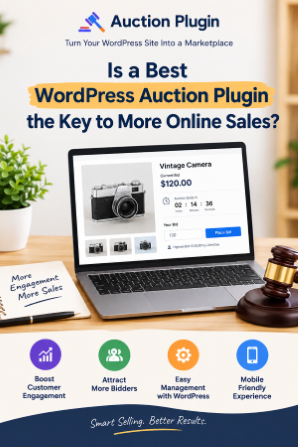
Auction Plugin can be a useful starting point when researching auction solutions and planning how bidding could fit into your WordPress website.
How Can You Test an Auction Before Launching It?
Testing is one of the simplest ways to avoid problems.
Before making an auction available to real customers, create a test product. Open the auction as a visitor and see whether the important information is easy to understand.
Try placing a bid and then test what happens when another bid is submitted. Check the auction timer, notifications, winning process, and checkout experience.
It is also worth testing the page on a smartphone and desktop computer.
This process gives you a better understanding of what your customers will experience. Small problems are much easier to fix before an auction goes live.
How Can You Make Auctions More Attractive?
The product itself remains the most important part.
A good auction listing should explain why the product is worth bidding on. Use a clear title and provide useful information about its condition, features, size, history, or other relevant details.
The starting price also deserves attention. If it is too high, customers may not feel motivated to participate. If it is positioned appropriately, it can encourage more people to enter the auction.
Promotion matters too. You can share upcoming auctions through your existing marketing channels and give interested customers a reason to return when bidding begins.
An auction works best when the right product meets the right audience at the right time.
Frequently Asked Questions
1. What is a WordPress auction plugin?
A WordPress auction plugin adds bidding functionality to a WordPress website. It can help website owners create auction listings and allow visitors to compete by placing bids.
2. Can I use auctions on a WooCommerce website?
Yes. Many auction solutions are designed to work with WooCommerce, allowing store owners to offer auction products alongside regular products.
3. Are auction plugins difficult to set up?
The setup depends on the plugin. Beginners should look for an option with simple settings, clear documentation, and an easy product management process.
4. Can I set auction start and end times?
Auction scheduling is available in many auction solutions. This allows sellers to decide when an auction begins and when bidding closes.
5. What products work well with auctions?
Products with limited availability, strong demand, uniqueness, or collectible value can be good candidates. However, every business should test auctions based on its own customers and products.
6. Why should auction pages be mobile-friendly?
Customers can participate from smartphones and tablets. A mobile-friendly auction page makes it easier for visitors to view product information and place bids wherever they are.
7. Can auctions guarantee higher sales?
No. Auctions can create competition and engagement, but they do not guarantee better sales. Results depend on product demand, pricing, marketing, customer interest, and the overall shopping experience.
Final Thoughts
Auctions can give a WordPress store a fresh way to sell selected products. They can encourage visitors to participate, return to listings, and compete for items they want.
The most important step is choosing an auction solution that matches your actual needs. Look beyond a long feature list and consider ease of use, bidding functionality, WooCommerce compatibility, scheduling, mobile experience, and overall management.
Start with a small number of products, test the complete bidding journey, and pay attention to how customers respond. Once you understand what works for your audience, you can expand your auction strategy with greater confidence.
With the right planning and Auction Plugin, your WordPress store can offer more than a traditional shopping experience and give customers a reason to stay involved from the first bid to the final result.