WorldTrack GPS Asset Trackers: Practical Guide to Selection, Setup, and Best Practices
-
- April 22nd, 2026
- 252 views

👉 Best IPTV Services 2026 – 10,000+ Channels, 4K Quality – Start Free Trial Now
WorldTrack GPS asset tracker: what it is and why it matters
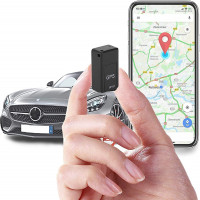
The WorldTrack GPS asset tracker is a category of compact, battery-powered tracking devices used to monitor location, movement, and status of physical assets. These devices are common in logistics, equipment rental, fleet support, and high-value inventory control. This guide shows how to evaluate, set up, and operate WorldTrack GPS asset tracker devices for reliable real-time monitoring and long-term asset management.
- Intent: Detected intent — Informational
- Primary focus: Choosing and configuring WorldTrack GPS asset tracker devices for real-world use
- Includes: TRACK Checklist, setup steps, practical tips, trade-offs, core cluster questions
How WorldTrack devices work: core components and technologies
Most WorldTrack-style asset tracking devices combine a GNSS receiver (GPS, GLONASS, etc.), a cellular or LPWAN radio, an internal battery, local sensors (motion, door, temperature), and firmware that reports data to a cloud platform or API. Terms to know include geofencing, fix interval, Assisted GNSS (A-GNSS), LTE-M, NB-IoT, and telematics.
Key capabilities
- Real-time location reporting and historical breadcrumb trails
- Geofence alerts and dwell-time notifications
- Battery life optimization modes (sleep, periodic wake)
- Sensor integration for tamper, vibration, or temperature monitoring
- Cloud-based APIs for integration with asset management systems
How to choose a WorldTrack GPS asset tracker: the TRACK Checklist
The TRACK Checklist is a concise framework for evaluating trackers before purchase and deployment.
- Technology: Confirm GNSS bands, cellular radio (LTE-M, NB-IoT, 2G fallback), and supported frequencies.
- Range & accuracy: Verify expected accuracy (m) and reporting intervals for the use case.
- Autonomy: Check battery capacity, replaceability, and power modes to match required lifetime.
- Compliance & connectivity: Ensure regional certification (FCC, CE) and SIM/roaming compatibility.
- KIntegrations: Confirm APIs, webhook support, and platform features for integration with telematics or ERP systems.
Example evaluation (short)
For a rental-equipment use case, choose a device with motion-triggered wake, replaceable AA battery pack or larger Li-ion cell for 6–12 month autonomy, LTE-M with fallback, and an open API to push location updates into the rental management system.
Step-by-step setup for a WorldTrack GPS asset tracker
Follow these procedural steps to get a device from box to production monitoring.
- Inventory & power: Inspect the device, install the recommended battery or charge the internal cell.
- Provision connectivity: Activate the SIM or onboard eSIM per the vendor instructions; verify network compatibility (LTE-M/NB-IoT or 2G where allowed).
- Initial positioning: Place the device outdoors for a cold GNSS fix to validate satellite lock and firmware status.
- Configure reporting: Set fix interval, motion sensitivity, and geofence rules on the cloud platform or device management portal.
- Integration testing: Use the API/webhook to ensure telemetry arrives at the asset management application; test notifications and battery alerts.
- Deploy & monitor: Attach the device securely to the asset, log initial records, and validate alerts during the first weeks.
Practical deployment tips
- Use tamper-proof mounts or enclosures for high-value assets to prevent removal.
- Set conservative reporting intervals for long-term storage; increase frequency while assets are in transit.
- Enable multi-sensor alerts (vibration + location) to reduce false positives from incidental movement.
Battery, connectivity, and accuracy trade-offs
Choosing reporting intervals and radios directly impacts battery life and cost. LTE-M and NB-IoT provide better power efficiency and deeper coverage than 2G, but regional network support varies. Increasing location frequency improves visibility but reduces autonomy. Accelerometer-based wake strategies can extend battery life while keeping essential alerting active.
Common mistakes to avoid
- Assuming one device configuration fits all assets—adjust fix intervals by risk and movement profile.
- Neglecting regional cellular certification or carrier support, which can block connectivity after deployment.
- Underestimating environmental effects: metal enclosures, dense cargo, or indoor storage degrade GPS accuracy.
Real-world scenario: tracking construction equipment
A contractor deploys 50 WorldTrack GPS asset tracker units on excavators and generators. Devices use motion-triggered wake to report hourly when stationary and every 5 minutes when movement is detected. Geofences restrict operation to project sites and trigger alerts when equipment leaves a site after hours. Integration with the job-costing system tags usage hours automatically to each project. The contractor reduces theft recovery time and improves utilization reporting within the first quarter.
Core cluster questions for internal linking and related articles
- How to extend battery life on asset tracking GPS devices?
- What is the difference between LTE-M and NB-IoT for asset trackers?
- How to configure geofence alerts and reduce false positives?
- Best practices for attaching trackers to heavy equipment and vehicles
- How to integrate GPS tracker data into an ERP or fleet management system?
Related entities and terms: GNSS, geofencing, telematics, LTE-M, NB-IoT, eSIM, FCC, CE, API, webhook, IoT platform, asset lifecycle management.
Authoritative guidance on cellular IoT deployment and global roaming practices is available from GSMA IoT guidelines: GSMA IoT.
Practical tips to get reliable results
- Start with a pilot: Deploy a small group of devices across the range of asset types to validate configuration and battery life assumptions.
- Use sensor fusion: Combine GPS fixes with accelerometer data to reduce unnecessary fixes and save power.
- Schedule maintenance alerts: Automate low-battery and long-dwell notifications to trigger field checks before failure.
- Document firmware and configuration: Keep a versioned record of device firmware and settings for troubleshooting.
Monitoring, scaling, and security considerations
Plan for fleet-scale telemetry ingestion by selecting a device management platform that supports secure device authentication (TLS, certificates), rate-limited APIs, and retry/backoff for intermittent connectivity. Enforce least-privilege access for integrations and store location history only as long as required by policy to reduce privacy risk.
FAQ
What makes a WorldTrack GPS asset tracker different from a basic consumer tracker?
WorldTrack-grade devices are designed for industrial use with longer battery life options, rugged enclosures, configurable reporting rules, enterprise APIs, and multi-network cellular support. Consumer trackers typically prioritize simplicity and short-term monitoring over durability and integration features.
How often should a WorldTrack GPS asset tracker report location for logistics use?
For active transport, a 1–5 minute interval balances visibility and battery drain. For parked or stored assets, hourly or daily reporting with motion-triggered wake conserves battery. Adjust intervals based on asset value, theft risk, and telemetry costs.
How to extend battery life on WorldTrack GPS asset tracker devices?
Reduce fix frequency, enable sleep modes, use motion-based wake, prefer LTE-M/NB-IoT radios where supported, and select devices with larger batteries or user-replaceable cells. Firmware optimizations like A-GNSS assistance can reduce time-to-first-fix and save power.
Are WorldTrack devices allowed for international tracking and roaming?
Check device radio bands against target countries and confirm SIM/eSIM roaming policies. Devices must meet regional certification (FCC/CE) and carrier requirements; planning for multi-zone coverage avoids blind spots during cross-border movements.
What are the common mistakes when deploying asset trackers at scale?
Common errors include insufficient pilot testing, ignoring cellular coverage on actual routes, misconfigured geofences causing alert fatigue, and failing to secure device credentials. Proper testing, documentation, and staged rollouts mitigate these risks.