How Expert Zoho Guidance Can Simplify Business Software Implementation
-
- Published Updated
- 3,330 views
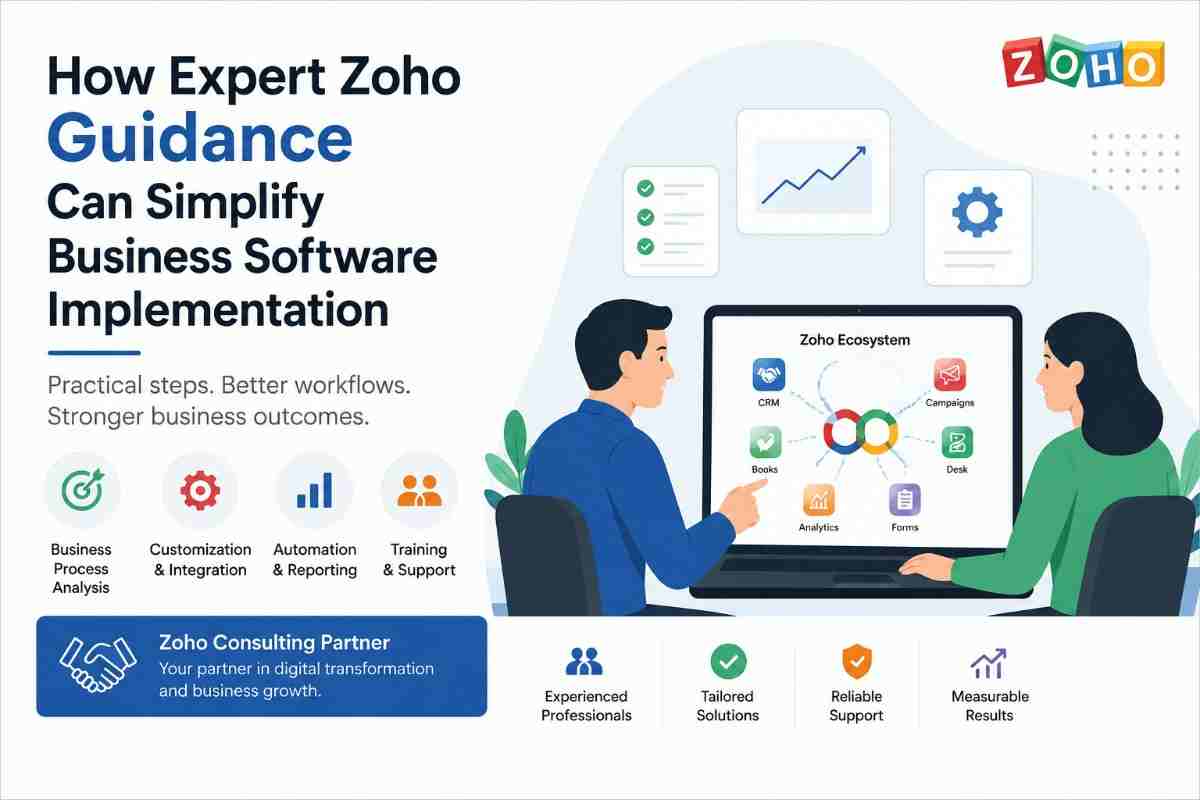
Choosing business software is only the beginning. For many organizations, the bigger challenge is configuring the platform around existing processes, connecting different applications, and ensuring employees can use the system effectively.
Zoho provides a broad ecosystem of applications for CRM, finance, customer support, HR, marketing, projects, and business automation. However, businesses may need professional guidance when their requirements involve customization, migration, integration, or complex workflows.
This is where a Zoho Consulting Partner can add value.
Why Businesses Need More Than a Basic Software Setup
A software platform may offer hundreds of features, but using all of them does not necessarily improve business operations.
For example, a company may have a CRM but still rely on spreadsheets for reporting. Another business may use separate tools for sales and accounting, requiring employees to manually transfer information between them.
A better approach is to first understand the business process and then configure technology around it.
This can help organizations:
- Reduce repetitive tasks
- Organize business information
- Improve workflow visibility
- Automate routine activities
- Connect different applications
- Improve employee adoption
What Does a Zoho Consulting Partner Do?
A consulting partner typically helps businesses understand their requirements and translate them into practical technology solutions.
The scope of work can vary depending on the project, but may include:
Business Process Analysis - Before configuring applications, consultants can review existing workflows to understand how information moves between teams. This can reveal unnecessary manual steps, duplicated work, and opportunities for automation.
Application Configuration - Business applications can be configured based on specific operational requirements. This may include layouts, fields, permissions, workflows, dashboards, and other settings.
Customization - Standard features may not always cover every business requirement. Custom functions, applications, or workflows can be developed when additional functionality is needed.
Data Migration - Moving information from an existing CRM, spreadsheets, or other systems requires careful planning. Data should be reviewed, cleaned, mapped, and tested before the final migration.
Integration - Businesses often use multiple applications. Connecting relevant systems can allow information to move between platforms and reduce duplicate data entry.
Training and Support - Even a well-designed system can struggle if employees do not understand how to use it. Training and ongoing support can improve adoption and help teams get more value from their technology.
When Should a Business Consider Professional Consulting?
Not every business needs extensive consulting. A simple setup may be manageable internally.
Professional assistance becomes more valuable when a project involves:
- Multiple departments
- Large amounts of existing data
- Complex workflows
- Several business applications
- Custom requirements
- Third-party integrations
- Advanced automation
- Multiple user roles and permissions
Growing organizations may also need consulting when their existing setup no longer matches their operational requirements.
How to Choose the Right Partner
Selecting a consulting provider should involve more than comparing prices.
Businesses should consider the provider's experience with similar projects, understanding of business processes, technical capabilities, communication style, and post-implementation support.
When evaluating a Zoho partner, look beyond basic CRM setup. Check whether the provider understands the wider Zoho ecosystem, including automation, integrations, reporting, and marketing tools. For example, businesses with email marketing requirements can also review this practical guide to setting up Zoho Campaigns to better understand the platform's capabilities and implementation considerations.
Look for Experience - Ask about previous implementation and customization projects. Experience with similar business processes can make it easier to identify potential challenges.
Understand the Implementation Approach - A good project should have a clear process covering discovery, planning, configuration, testing, deployment, and optimization.
Check Integration Capabilities - If your business uses accounting, marketing, ecommerce, helpdesk, or other applications, make sure the provider can work with your existing technology environment.
Consider Long-Term Support - Your requirements may change after implementation. Ongoing support can help maintain the system and introduce improvements as the business grows.
A Practical Implementation Process
A structured approach can make implementation easier to manage.
1. Discover - Identify business objectives, users, existing systems, and operational challenges.
2. Plan - Map processes and determine which applications, customizations, and integrations are required.
3. Configure - Set up the selected applications according to the approved requirements.
4. Migrate - Clean and transfer relevant data while checking for duplicates or inconsistencies.
5. Integrate - Connect other applications where data needs to move between systems.
6. Test - Test workflows using realistic business scenarios before going live.
7. Train - Help employees understand the new processes and features.
8. Optimize - Review the system after deployment and make improvements based on user feedback and changing requirements.
Avoiding Common Implementation Problems
Several problems can make a software implementation more complicated than necessary.
One common mistake is trying to customize everything from the beginning. Businesses should first determine whether existing functionality can meet their requirements.
Another issue is migrating unclean data. Moving duplicate or outdated information into a new system can create problems later.
Lack of user involvement can also affect adoption. Employees who will use the system should have an opportunity to provide input during the planning and testing stages.
Finally, businesses should avoid automating processes before understanding them. Automation works best when the underlying workflow is already clearly defined.
The Long-Term Value of Professional Guidance
The value of consulting goes beyond initial implementation.
As a business grows, its processes can change. New employees may join, additional applications may be introduced, and existing workflows may need to be adjusted.
Regular system reviews can help businesses identify opportunities for better automation, reporting, integration, and collaboration.
This makes the implementation an ongoing business improvement process rather than a one-time software installation.
Final Thoughts
A successful business software implementation requires more than technical configuration. It requires an understanding of how people, processes, data, and applications work together.
Working with an experienced Zoho Consulting Partner can help businesses approach implementation systematically, from requirements analysis and configuration to integration, training, and optimization.
The most effective solutions are those designed around actual business needs rather than simply adding more features. With the right planning and support, businesses can create a technology environment that is easier to manage, more efficient, and ready to scale.