Computer Monitoring Software for Better Workplace Productivity
-

- Published Updated
- 35 views
Introduction to Computer Monitoring Software
In today's digital workplace, businesses need effective ways to understand computer usage, manage working hours, and improve team productivity. Computer monitoring software helps organizations gain insights into work-related computer activities, including application usage, website visits, active time, and idle periods.
DeskTrack offers workforce monitoring capabilities that help businesses review computer activity through a centralized platform. These insights can support better planning, workflow evaluation, and informed management decisions across office-based, remote, and hybrid teams.
Rather than relying entirely on manual updates, businesses can use activity reports to understand how work processes operate and identify areas that may benefit from improvement. When implemented transparently, computer monitoring can support accountability while respecting employee privacy.
What Is Employee Computer Monitoring Software?
Employee computer monitoring software is a digital solution that helps organizations review work-related activities performed on company computers. Depending on the software and its configuration, it may provide information about application usage, website activity, computer activity periods, and productivity patterns.
DeskTrack helps managers access relevant workforce activity information in one place, making it easier to understand how employees interact with work applications and digital resources.
The purpose of monitoring should not be limited to checking employee activity. Businesses can also use these insights to identify workflow challenges, improve resource allocation, and establish clearer expectations for working hours.
Why Do Businesses Need Computer Monitoring Software?
Managing a team becomes more challenging when employees work across different locations, handle multiple projects, or use various applications throughout the day. Computer monitoring software can provide additional visibility into these activities.
Businesses may benefit from monitoring solutions in several ways:
Better workforce visibility: Understand work-related application usage and daily computer activity patterns.
Improved workflow planning: Identify recurring idle periods or processes that may require further review.
Data-informed decisions: Use activity reports alongside project outcomes and other performance indicators.
Remote team support: Maintain visibility into work processes without depending entirely on frequent manual updates.
Operational efficiency: Identify opportunities to improve digital workflows and resource utilization.
These benefits depend on how monitoring data is interpreted and applied. Activity measurements should complement, rather than replace, communication, work quality, and actual business results.
Key Features of DeskTrack Computer Monitoring Software
DeskTrack provides monitoring and workforce activity capabilities designed to help organizations understand computer usage and daily work patterns.
1. Application Usage Tracking
Application tracking helps managers understand how much time is spent using different work-related applications. This information can help businesses evaluate software usage, understand work routines, and identify applications that support everyday responsibilities.
2. Website Activity Monitoring
Website monitoring provides visibility into website usage during working hours. Organizations can review relevant activity patterns to understand how websites are used for work and whether certain browsing activities require attention.
3. Active and Idle Time Tracking
Active and idle time information helps organizations understand periods of computer activity and inactivity. These measurements can highlight patterns that require further investigation, but idle time alone does not prove that an employee is unproductive.
4. Screenshot Monitoring
Depending on configuration, screenshot monitoring can provide visual records of computer activity at specified intervals. Businesses should define clear policies, inform employees, and restrict access to screenshots to authorized individuals.
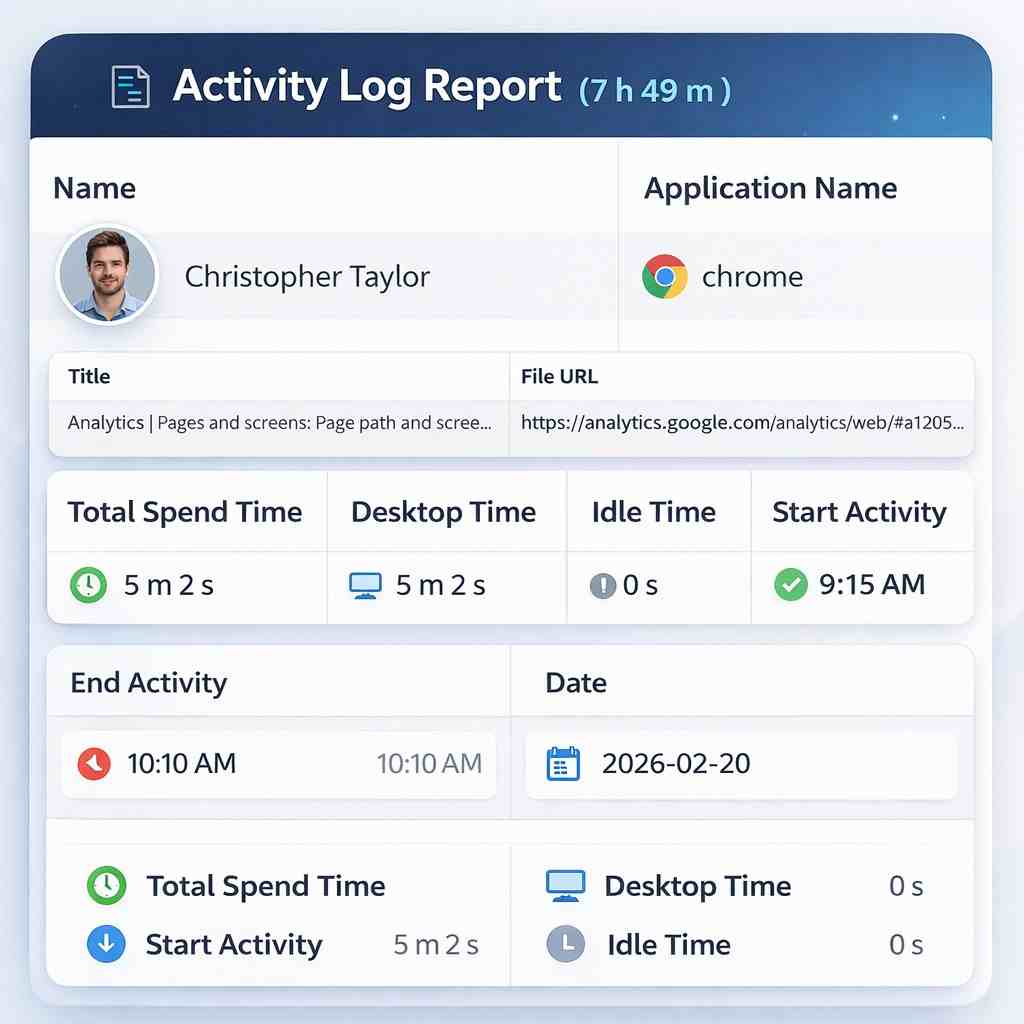
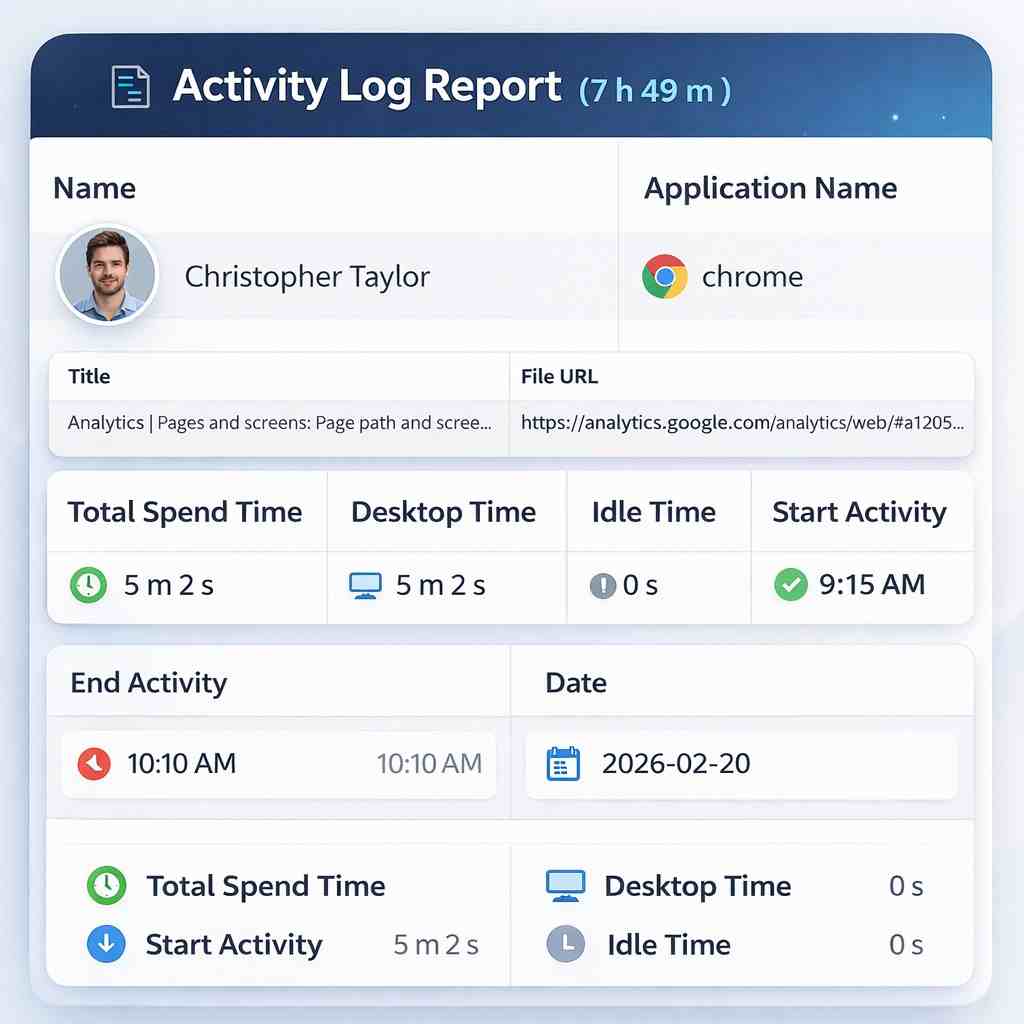
5. Activity Reports and Workforce Insights
Reports help managers review relevant computer activity information in a structured format. DeskTrack can support the analysis of work patterns and help organizations identify potential opportunities for process improvement.
How Employee Computer Monitoring Software Supports Remote Teams
Remote and hybrid workplaces require clear communication, measurable expectations, and effective management practices. Managers may not be physically present to understand every workflow challenge, making digital activity insights useful in certain situations.
Employee computer monitoring software can help organizations review work-related computer usage and identify patterns that may require further discussion.
DeskTrack supports workforce visibility by helping managers review relevant activity information through a centralized platform. Organizations can combine these insights with project progress, completed tasks, attendance records, and employee feedback to build a more balanced understanding of performance.
A responsible monitoring approach should focus on work requirements and operational improvements rather than unnecessary surveillance.
Best Practices for Implementing Computer Monitoring Software
Selecting the right software is only one part of successful implementation. Businesses should establish clear expectations before introducing monitoring tools to their teams.
Consider the following best practices:
Communicate monitoring policies: Explain what information is collected, why it is needed, and who can access it.
Protect employee information: Apply appropriate access controls and data-handling procedures.
Use relevant performance indicators: Evaluate activity information alongside work quality, deliverables, and project outcomes.
Configure monitoring appropriately: Enable features according to legitimate business requirements and applicable privacy obligations.
Review reports constructively: Use findings to improve processes and support employees rather than relying on isolated activity measurements.
These practices help organizations establish transparency, maintain trust, and use monitoring data more effectively.
How to Choose the Right Computer Monitoring Software
Businesses should evaluate several factors before selecting a workforce monitoring solution. The right choice depends on team size, work environment, operational requirements, and internal policies.
Important considerations include:
Available monitoring features and reporting options.
Ease of use and centralized management capabilities.
Compatibility with the organization's working environment.
Data security, privacy controls, and access management.
Pricing, scalability, and customer support.
Flexibility to configure monitoring according to business needs.
DeskTrack offers workforce monitoring capabilities that organizations can evaluate against these requirements. Reviewing the available features and confirming that they align with business needs can help decision-makers choose a suitable solution.
Frequently Asked Questions (FAQs)
1. What is computer monitoring software?
Computer monitoring software helps businesses review work-related computer activities, such as application usage, website activity, active time, and idle periods. Available features vary by platform and configuration.
2. How does employee computer monitoring software work?
Employee computer monitoring software collects and presents selected computer activity information through a monitoring platform. Depending on the solution, managers may access activity reports, application usage information, website activity, and other configured monitoring data.
3. What features does DeskTrack offer for computer monitoring?
DeskTrack provides workforce monitoring capabilities that may include application usage tracking, website monitoring, active and idle time information, activity reports, and configurable screenshot monitoring. Businesses should review the current product details to confirm feature availability for their selected plan.
4. Can computer monitoring software support remote employees?
Yes. Computer monitoring software can help organizations understand work-related computer activity across remote and hybrid teams. Activity reports can support workflow discussions and planning when used alongside project outcomes and clear performance expectations.
5. Does employee computer monitoring software improve productivity?
It can support productivity improvement by helping managers identify workflow gaps, understand application usage, and review work patterns. However, results depend on implementation, management practices, and how the collected information is used.
6. Is computer monitoring software suitable for small businesses?
Yes. Small businesses may use monitoring solutions to understand computer usage, review workflows, and manage distributed teams. The appropriate solution depends on budget, team requirements, privacy considerations, and required features.
7. How can businesses protect employee privacy when monitoring computers?
Businesses should communicate monitoring policies, collect only relevant information, restrict access to authorized personnel, and establish appropriate data retention and security practices. They should also comply with applicable employment, privacy, and data protection requirements.
8. Why consider DeskTrack for employee computer monitoring?
DeskTrack offers workforce monitoring capabilities that help businesses review computer activity and understand work patterns. Organizations can explore its features to determine whether the platform meets their operational and workforce management needs.
Conclusion
Computer monitoring software can help modern businesses improve workforce visibility, understand computer usage, and identify opportunities to improve operational workflows. When used responsibly, it can support more informed decisions without treating computer activity as the only measure of employee performance.
DeskTrack brings workforce monitoring capabilities together to help organizations review relevant activity information and understand daily work patterns. Businesses looking for employee computer monitoring software can explore its features and evaluate how they fit their operational requirements.
Learn more: DeskTrack