Geometry Dash Explained: Complete Guide to Gameplay, Levels, and Community
-
- February 23rd, 2026
- 1,712 views

FREE SEO Topical Map Generator: Find Your Next Content Ideas
Geometry Dash is a rhythm-based platformer game that mixes precise timing, obstacle navigation, and user-created levels. Designed around simple controls and fast-paced levels, Geometry Dash emphasizes pattern recognition, muscle memory, and level design through an integrated editor.
- Genre: Rhythm-based platformer with one-touch controls
- Core features: Official levels, level editor, practice mode, difficulty ratings
- Community: Large library of user-created levels, sharing and rating systems
- Platforms: Mobile and desktop versions available
What is Geometry Dash
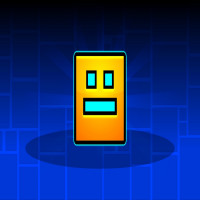
Geometry Dash is a single-player platformer where players guide a geometric icon through obstacle-filled levels synchronized to music. The primary interaction is a simple tap or click to jump or change the icon's trajectory while navigating spikes, gaps, moving traps, and timed sequences. The game focuses on short, repeatable runs and incremental progress using practice mode and checkpoints.
Core gameplay mechanics
Controls and movement
Controls in Geometry Dash are intentionally minimal: a single button press causes the player's icon to jump or interact with a specific element. Levels often require chaining inputs, holding for longer jumps, and reacting to moving hazards. The simplicity of controls places emphasis on timing and rhythm rather than complex input combos.
Obstacles and level flow
Levels combine static and dynamic obstacles, including spikes, moving platforms, portals that alter gravity or form, and triggers that change speed. Music-driven design is a hallmark: many obstacles and transitions synchronize with the soundtrack to create predictable rhythmic patterns that skilled players memorize.
Practice and progression
Practice mode provides checkpoints and slower tempo to learn difficult sections without restarting the whole level. Standard runs rely on completing a level from start to finish without checkpoints. Progression frequently uses a difficulty rating system that helps players find levels suited to their skill.
Levels, editor, and community content
Official levels and difficulty ratings
The game ships with a set of official levels that illustrate core mechanics and increase in difficulty. Levels are commonly tagged by difficulty categories, ranging from easy and normal up to extremely difficult tiers. Some community-created levels achieve high reputation and are treated as benchmarks for advanced players.
Level editor and user-generated content
A level editor allows players to design, test, and publish their own levels. The editor includes terrain blocks, triggers, hazards, visual effects, and music synchronization tools. Uploaded levels are often classified by difficulty and can be shared and rated by the community; this user-generated ecosystem significantly extends replayability.
Community features and moderation
The Geometry Dash community contributes a large catalog of custom levels, tutorials, and compilations. Community moderation and rating help surface quality content. For official information about the developer and updates, the developer's site provides release notes and announcements: RobTop Games.
Difficulty, terminology, and common level types
Difficulty tiers and skill markers
Difficulty ratings communicate expected challenge. Terms commonly used in the community include "easy," "normal," "hard," "harder," "insane," and "demon"—the latter indicating the most demanding user-created levels. Players often track completion rates, practice attempts, and personal bests.
Popular level styles
Common level styles include rhythm-synced levels, trap-based designs that test reaction and memorization, speedrun-style courses that require flawless execution, and art-focused levels that prioritize visual presentation and timing with the music.
Platforms, editions, and updates
Availability and versions
Geometry Dash is available on multiple platforms with versions optimized for touch and keyboard input. Updates to core mechanics, level editor features, and bug fixes are released periodically by the developer. Platform-specific differences may affect controls and user interfaces, but core gameplay remains consistent.
Updates and developer support
Official updates add new level features, editor tools, and quality-of-life improvements. Patch notes and version histories are typically published by the developer to detail changes and known issues.
Safety, accessibility, and community etiquette
Content moderation and reporting
Because the game enables sharing of user-generated content, moderation systems and community guidelines help address inappropriate or infringing levels. Reporting tools and moderation policies vary by platform and are intended to maintain a constructive environment.
Accessibility considerations
Geometry Dash's core mechanics rely heavily on timing and visual cues, which may present accessibility challenges for some players. Practice modes, adjustable audio, and level difficulty selection can help players tailor the experience, but the basic requirement of visual-motor coordination remains central.
Community etiquette
Community spaces often emphasize constructive feedback on level design and fair rating practices. Sharing level creation tips and tutorials is common, while respect for creators and adherence to platform rules supports a healthy ecosystem.
Frequently asked questions
What is Geometry Dash?
Geometry Dash is a rhythm-based platformer where players control a geometric icon through obstacle-filled levels, often created and shared by the game's community.
How does the level editor work?
The level editor provides blocks, triggers, and event tools to place hazards, sync elements to music, and test sections with practice checkpoints before publishing for community play and rating.
What does "demon" difficulty mean in Geometry Dash?
"Demon" is a community-used label for the most difficult user-created levels, typically requiring precise timing, extensive practice, and advanced mechanics mastery.
Where can official updates and developer information be found?
Official updates, announcements, and developer information are published by the game's developer on their official site and update channels. See the developer's site for release notes and support.
Can user-created levels be reported for inappropriate content?
Yes. Most platforms include reporting tools and moderation processes to address inappropriate, infringing, or harmful content within user-created levels; procedures vary by platform.