Automated Inventory Management: A Smarter Approach to Modern Stock Control
-

- Published Updated
- 60 views
https://inventoryshub.com/solutions/automated-inventory-management/
# Automated Inventory Management: A Smarter Approach to Modern Stock Control
Businesses today manage more inventory than ever before. Retailers, wholesalers, distributors, ecommerce companies, and manufacturers may handle hundreds or thousands of products across different suppliers, locations, and sales channels. As inventory operations become more complex, relying entirely on spreadsheets and manual stock checks can consume valuable time and increase the possibility of mistakes.
Automated Inventory Management provides a practical way to simplify these processes. Instead of requiring employees to manually monitor every stock movement, inventory automation uses software, rules, alerts, and centralized information to make routine inventory tasks more efficient.
## What Is Automated Inventory Management?
Automated Inventory Management is the use of inventory software and predefined workflows to automate repetitive stock management activities. These activities can include monitoring inventory levels, identifying low-stock products, supporting reordering processes, tracking stock movements, and generating inventory alerts.
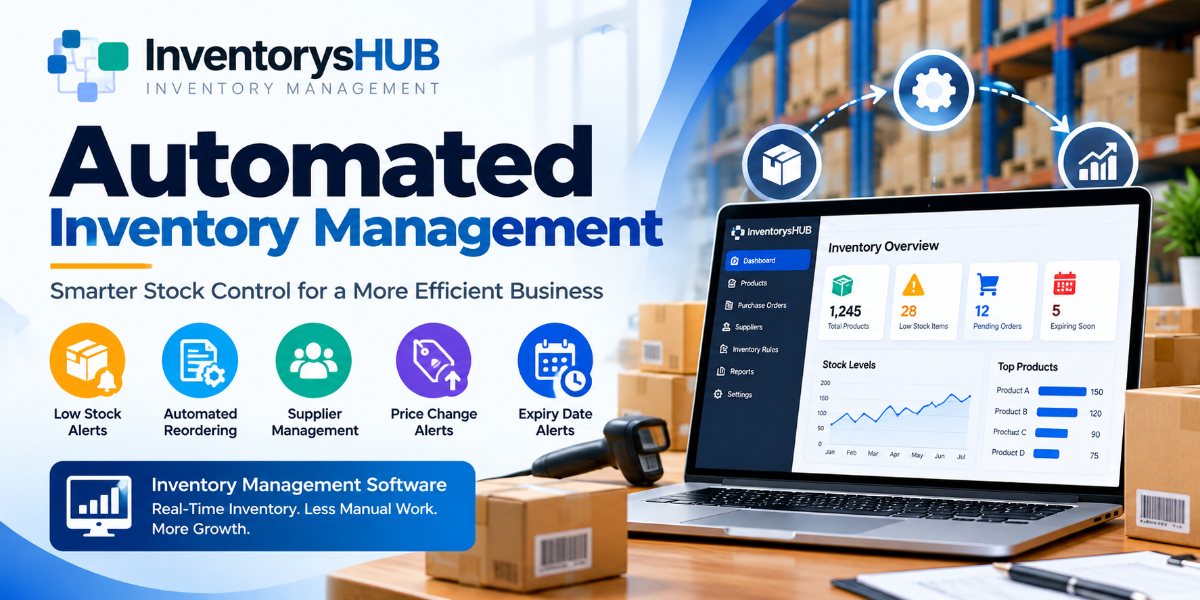
For example, a business can define a minimum stock level for a product. When inventory reaches that threshold, the system can generate a low-stock notification or initiate a predefined replenishment workflow. This reduces the need for employees to manually review inventory records throughout the day.
Automation can also help businesses maintain more consistent inventory processes as they grow.
## Why Manual Inventory Management Can Become Difficult
Many small businesses begin with spreadsheets or manual stock records because these methods are inexpensive and easy to understand. However, as the number of products and transactions increases, maintaining accurate information becomes more challenging.
Employees may need to repeatedly update quantities, check stock levels, calculate reorder requirements, and communicate with suppliers. Manual data entry can also introduce errors that affect purchasing decisions and inventory accuracy.
A growing business may eventually find that employees spend too much time performing repetitive inventory tasks instead of focusing on customers, sales, purchasing strategy, and business growth.
Automated inventory systems can reduce this administrative workload by handling many routine processes through predefined rules.
## Automated Reordering
One of the most useful applications of inventory automation is automated reordering.
Businesses can establish reorder points based on their products, sales patterns, and operational requirements. When inventory falls below a selected threshold, the system can alert the relevant employee or support an automated replenishment process.
This can help businesses avoid situations where important products unexpectedly become unavailable.
Automated reordering can also make purchasing more organized. Instead of discovering that an item is running low during a manual stock check, teams can receive information when action is actually required.
## Low-Stock Alerts
Low-stock alerts are another important feature of modern Inventory Management Software.
When stock reaches a predefined level, the system can notify the appropriate team. These alerts provide an opportunity to review purchasing requirements before the product becomes unavailable.
For businesses managing a large product catalog, automated alerts can be much more efficient than checking every item manually.
Low-stock notifications can also help purchasing teams prioritize their work. Rather than spending time reviewing products that have sufficient inventory, employees can focus on products that require immediate attention.
## Real-Time Inventory Visibility
Accurate inventory information is important for making effective business decisions. Inventory Tracking Software can provide a centralized view of stock information and help teams understand inventory availability more efficiently.
Better visibility can help businesses identify which products are available, which products are moving quickly, and which items may need replenishment.
Real-time inventory information can also be useful for businesses operating across multiple locations. When inventory data is centralized, teams can make decisions using the same information instead of relying on separate spreadsheets or disconnected records.
## Supplier and Purchasing Management
Inventory management is closely connected to purchasing and supplier relationships.
Businesses need to know which products require replenishment, which suppliers provide those products, and when purchases should be made. Inventory automation can help organize this information and make purchasing workflows easier to manage.
Supplier management features can also help businesses monitor supplier-related information and respond to changes that may affect purchasing decisions.
By connecting inventory information with purchasing processes, businesses can create a more organized stock management workflow.
## Price Change and Expiry Alerts
Not every inventory problem is related to stock quantity. Businesses may also need to monitor supplier price changes, product expiry dates, and other important inventory events.
Automated alerts can help bring these changes to the attention of employees at the right time.
For example, expiry-date notifications can help businesses identify products that require attention before they become unsuitable for sale. Price change alerts can help purchasing teams review costs before placing new orders.
These automated notifications reduce the need for employees to remember every inventory-related task manually.
## Benefits of Inventory Automation
Implementing Automated Inventory Management can provide several benefits for businesses.
First, automation can reduce repetitive administrative work. Employees can spend less time checking spreadsheets and manually calculating stock requirements.
Second, automation can improve inventory visibility. Centralized information makes it easier to understand current stock levels and product movement.
Third, automated alerts can help businesses respond more quickly to low-stock situations, expiry dates, and other important events.
Fourth, better inventory information can support purchasing decisions. Businesses can use organized stock data to determine when products need replenishment and avoid unnecessary purchases.
Finally, automation can create more consistent inventory processes as a business expands.
## Who Can Benefit From Automated Inventory Management?
Automated inventory solutions can be useful for many types of businesses.
Retail stores can use inventory automation to monitor product availability and manage replenishment. Ecommerce businesses can use inventory tracking to maintain better visibility across online orders and product catalogs.
Wholesalers and distributors can benefit from centralized inventory information when managing larger product ranges and supplier relationships.
Businesses operating multiple locations can also benefit from having organized inventory data that can be accessed and managed through a centralized system.
The exact requirements will vary by business, but the underlying goal remains the same: reduce unnecessary manual work while improving inventory control.
## Choosing the Right Inventory Management Software
When selecting an inventory solution, businesses should evaluate the features that match their operational needs.
Important capabilities may include automated inventory tracking, low-stock alerts, automated reordering, supplier management, inventory reporting, stock movement tracking, expiry-date notifications, price change alerts, and centralized inventory visibility.
Businesses should also consider how easily the software can fit into their existing workflow. A useful inventory system should make daily operations simpler rather than adding unnecessary complexity.
## The Future of Stock Management
As businesses continue to grow and manage more products, manual inventory processes can become increasingly difficult to maintain. Automation offers a way to create more efficient and scalable stock management workflows.
Automated Inventory Management does not simply replace manual tasks. It can help businesses organize information, respond to important inventory events, improve purchasing decisions, and maintain better control over stock.
With the right Inventory Management Software, businesses can reduce repetitive work, improve inventory accuracy, and build a more efficient approach to everyday stock management.
For companies looking to modernize their inventory operations, automation can be an important step toward smarter and more reliable stock control.