The Ultimate Guide to Mastering the Google Chrome Dinosaur Game
-
- August 23rd, 2025
- 340 views
No internet? No problem! Learn everything you need to know about the Google Chrome Dinosaur Game, from basic gameplay to pro tips for achieving a high score. We even reveal where you can play Dinosaur Game even with internet!
1. What Exactly IS the Dinosaur Game?
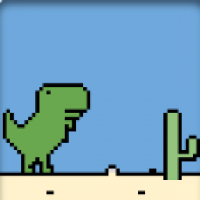
At its heart, the Dinosaur Game is an endless runner. You control a pixelated Tyrannosaurus Rex who must navigate a desolate desert landscape, dodging cacti and pterodactyls (Pteranodons, technically!). The game speeds up over time, and the obstacles become more frequent, testing your reflexes and precision.
2. Key features of the Dinosaur Game
Endless Runner: The game continues until you collide with an obstacle.
Increasing Difficulty:The game's speed gradually increases, making it more challenging as you progress.
Simple Controls: Jump (Spacebar or Up Arrow) and Duck (Down Arrow). That's it!
Offline Play: The game is designed to be played when you have no internet connection.
High Score Tracking: The game saves your highest score, encouraging you to keep playing and improve.
Pixelated Graphics: The game features charmingly retro, 8-bit style graphics.
3. How to Play the Dinosaur Game: A Step-by-Step Guide
The beauty of the Dinosaur Game lies in its simplicity. Here's how to get started:
1. Trigger the Game: The most common way to access the game is to disconnect from the internet and try to load a webpage in Google Chrome. The "No Internet" error page will appear, and you'll see the dinosaur.
2. Start Playing: Press the Spacebar (or the Up Arrow key) to start the game. The dinosaur will start running.
3. Jump: Press the Spacebar (or the Up Arrow key) to make the dinosaur jump over cacti. Time your jumps carefully to avoid collisions.
4. Duck: When pterodactyls appear, press the Down Arrow key to make the dinosaur duck under them.
5. Survive: Keep jumping and ducking to avoid the obstacles and keep the dinosaur running. The longer you survive, the higher your score will be.
6. End the Game: If the dinosaur collides with an obstacle, the game ends. Your score will be displayed.
7. Play Again: Press the Spacebar to start a new game and try to beat your previous high score.
Pro-Tip: You don't need to be offline to play! You can access the Dinosaur Game directly by typing Dinosaur Game into your Chrome address bar and pressing Enter. This works even when you're connected to the internet. This is how you will play Dinosaur Game!
4. Alternative Game Play: Dinosaur Game
So, what if you're stuck somewhere with reliable internet access and still have a craving for some T-Rex-sized fun? Not to worry! You can still play the Dinosaur Game online, even when you're connected.
Visit this website: Dinosaur Game
This site offers a version of the game that you can play directly in your browser, regardless of your internet connection status. It's a great option for when you want a quick dinosaur fix without having to disconnect from the web.