BIM Certification in NCR and Revit Course in NCR: Build Job-Ready AEC Skills
-
- Published Updated
- 2,025 views

BIM Certification and Revit Course in NCR: Building Practical AEC Skills
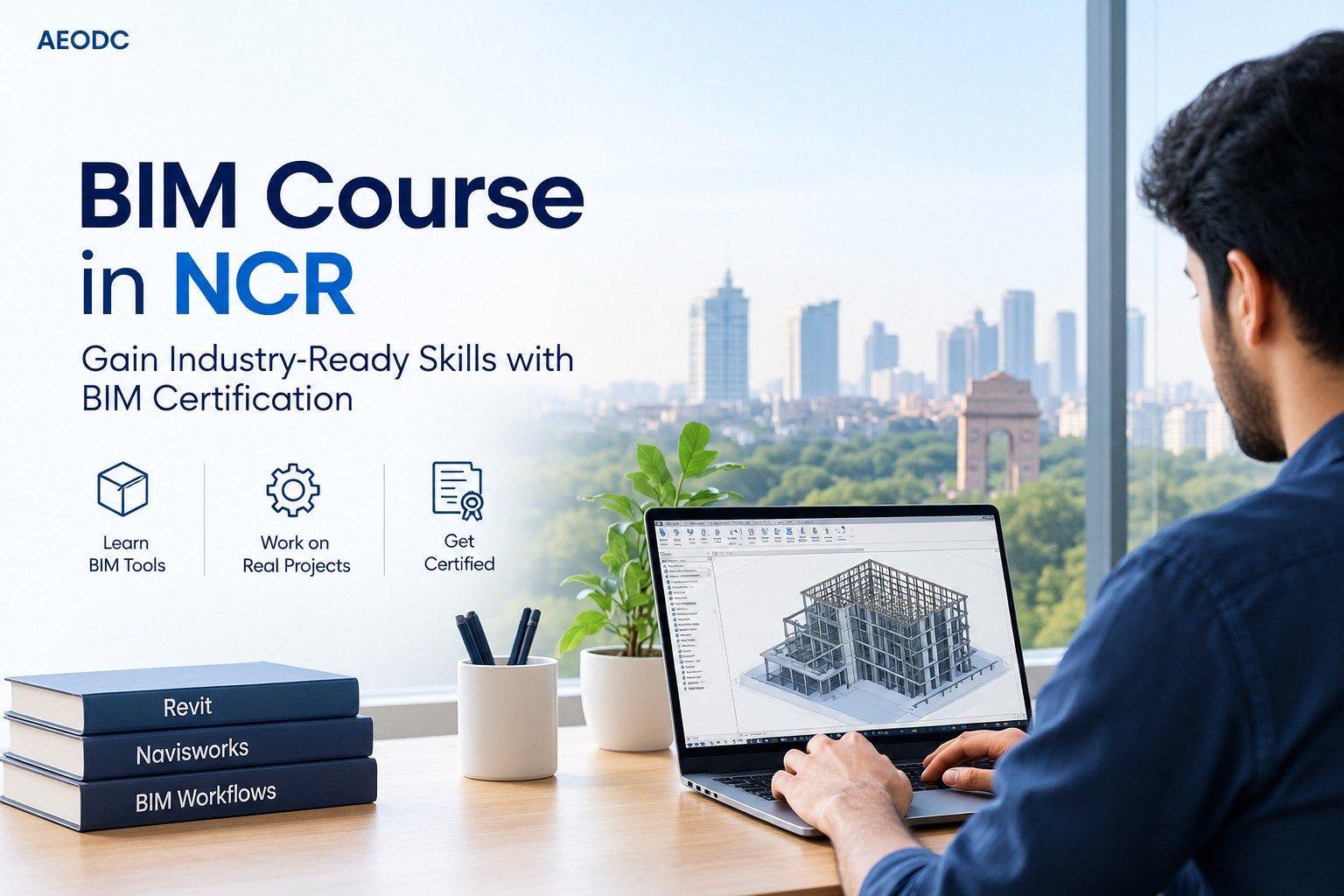
The demand for digital construction skills is growing rapidly across architecture, engineering, and construction (AEC) projects. As firms increasingly adopt Building Information Modeling (BIM), professionals who can work with digital models, coordinate disciplines, and manage project information have become more valuable.
For students and working professionals in Delhi NCR, choosing the right training can help develop practical skills in BIM, Revit, coordination, documentation, and digital project delivery. A BIM certification in NCR can provide structured knowledge of BIM processes, while a Revit course in NCR can help learners build hands-on expertise in architectural, structural, or MEP modeling.
Why Choose BIM Training in NCR?
Delhi NCR is one of India's major markets for architecture, engineering, infrastructure, construction, and real-estate development. The region has a large ecosystem of consultants, contractors, design firms, developers, and engineering organizations. This makes digital AEC skills increasingly relevant for both new graduates and experienced professionals.
However, effective BIM training should go beyond basic software demonstrations. Learning individual commands is only one part of becoming BIM-ready. Professionals also need to understand how models are created, reviewed, coordinated, documented, and shared throughout a project's lifecycle.
A quality BIM certification in NCR may cover important areas such as:
- BIM fundamentals and project workflows
- Revit Architecture, Structure, or MEP
- 3D model development and documentation
- Clash detection and multidisciplinary coordination
- Navisworks workflows
- Level of Development (LOD) concepts
- Information requirements and project standards
- 4D and 5D BIM fundamentals
- BIM Execution Plan (BEP) concepts
- Collaborative project delivery
This broader approach can help learners understand how BIM supports real project requirements rather than treating it simply as a software skill.
What to Look for in a Revit Course in NCR
Revit is widely used for creating coordinated building models and generating project documentation. It can support architectural, structural, and MEP workflows, making it an important tool for many AEC professionals.
However, a good Revit course in NCR should focus on more than learning commands and tools. Learners should have opportunities to apply their knowledge to realistic projects and understand how Revit contributes to actual design and documentation workflows.
Depending on the learner's career goals, a Revit course may include:
- Revit Architecture modeling
- Revit Structure modeling
- Revit MEP workflows
- Families and reusable components
- Views, sheets, schedules, and annotations
- Construction documentation
- Model coordination
- Templates and project standards
- Basic BIM collaboration practices
Project-based learning is particularly useful because it allows students to connect software knowledge with professional deliverables. Instead of completing isolated exercises, learners can work through building models, drawings, schedules, and coordination tasks that reflect real AEC workflows.
BIM Certification vs. Revit Training
Although BIM and Revit training are closely related, they serve different learning objectives.
A BIM certification in NCR generally provides a broader understanding of BIM processes, information management, coordination, collaboration, and multidisciplinary project delivery. It is useful for learners who want to understand how BIM fits into the overall project lifecycle.
A Revit course in NCR, on the other hand, is more focused on software and modeling skills. It can be particularly valuable for aspiring architects, structural designers, MEP professionals, BIM modelers, and draftspeople who need practical experience with digital building models and documentation.
For beginners, starting with Revit fundamentals and then progressing into broader BIM concepts can be an effective learning path. Professionals with existing AEC experience may instead choose specialized BIM coordination, modeling, or management training based on their current role and career objectives.
Who Can Benefit from BIM and Revit Training?
BIM and Revit programs can benefit a wide range of learners across the AEC industry. These may include:
- Architecture and civil engineering students
- Structural engineering students and professionals
- MEP designers and engineers
- Architecture and engineering graduates
- CAD draftspeople and designers
- BIM modelers and coordinators
- Construction professionals
- AEC professionals seeking digital project-delivery skills
The ideal course depends on the learner's existing knowledge, specialization, and career plans. Someone from an architectural background may benefit more from Revit Architecture, while an MEP professional may require specialized MEP workflows.
How to Choose the Right Training Program
When comparing BIM and Revit programs in NCR, learners should evaluate more than the certificate offered at the end of the course. A certificate can demonstrate completion, but practical competence comes from structured learning and project exposure.
Important factors to consider include trainer experience, curriculum depth, software coverage, practical assignments, project-based learning, industry relevance, and post-training support.
Learners should also check whether the program includes multidisciplinary coordination and documentation rather than focusing exclusively on 3D modeling. Exposure to realistic project scenarios can make training more useful when transitioning into professional AEC environments.
Frequently Asked Questions
Is BIM certification useful for AEC professionals?
Yes. A structured BIM program can help professionals develop an understanding of digital modeling, coordination, documentation, information management, and collaborative project workflows.
Is a Revit course suitable for beginners?
Yes. Beginners can start with fundamental modeling and documentation concepts before progressing toward advanced workflows and multidisciplinary BIM coordination.
Which is better: BIM certification or Revit training?
It depends on the career objective. Revit training is generally more focused on software, modeling, and documentation skills, while BIM certification offers broader knowledge of BIM processes, coordination, information management, and project delivery.
Where can I find BIM and Revit training in NCR?
Learners should compare programs based on practical project work, trainer expertise, specialization, curriculum depth, software coverage, and industry relevance before enrolling.
Start Building Practical AEC Skills
The right BIM certification in NCR or Revit course in NCR can help students and professionals develop skills aligned with modern AEC project requirements. However, the value of training depends largely on how effectively it connects software knowledge with real project workflows.
For learners planning a career in digital construction and design, practical exposure should remain a priority. The strongest training programs combine software proficiency with modeling, documentation, coordination, information management, and professional project standards.
Ultimately, certification should be viewed as one part of the learning journey—not the final goal. Developing the ability to apply BIM and Revit skills confidently to realistic AEC projects is what can make training truly valuable for long-term professional growth.