Softaken MSG Attachment Extractor Review: The Ultimate Tool for Bulk Data Extraction?
-

- Published Updated
- 7,547 views
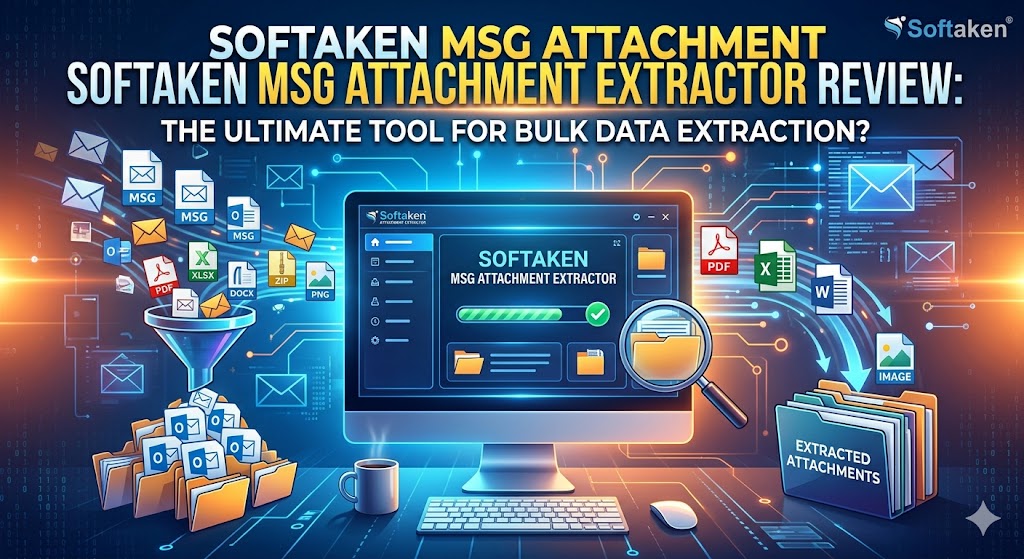
Quick Summary: Is this MSG Attachment Extractor Tool Worth it?
You can get a data management headache fast when managing Microsoft Outlook files outside the native email client. Handling scattered MSG files (single Outlook email messages) and downloading their attachments manually is one of the most tedious challenges that an IT professional, legal auditor or everyday business user can face.
When you have dozens, hundreds or even thousands of MSG files filling up your storage, it’s not only frustrating to download every single PDF, spreadsheet and image one by one, it’s also a waste of your time.
Here is where specialized utilities like Softaken MSG Attachment Extractor come into play. Our evaluation analyzes whether this independent Windows utility truly balances performance, data protection, and user-friendly operation, or if superior alternatives exist on the market.
What is Softaken MSG Attachment Extractor?
This is a lightweight and dedicated desktop application which is designed to scan folders that contain Outlook .msg files. It automatically isolates, extracts and saves the attachments in a special folder.
The utility is built solely for Windows ecosystem, positioning itself as a timesaving bridge for users who need to strip out attachments for data analysis, archiving or migration purposes. It’s a utility for people that have to deal with legal discoveries or backups of business data or anyone moving away from Microsoft Outlook but wants to keep important document histories.
Key Features: What sets this utility apart?
There are loads of generic file converters in the market but Softaken focuses on a very specific pain-point.
1. 100% Standalone (No Outlook Required)
One of the biggest challenges when managing Outlook related files is that most tools require you to have Microsoft Outlook installed and running with an email profile setup on your machine. Softaken totally eliminates this barrier. The software is an independent engine that directly parses the underlying raw data structure of the MSG files (without Outlook acting as an intermediary).
2. Bulk Processing for massive folder
If you simply need to extract files from two or three emails, you don't need a dedicated program. However, if you have heavy data volumes to handle then Softaken allows you to upload MSG file folders at a time. The batch-processing engine processes these files in parallel to accelerate the extraction process.
3. Preserves folder structure and metadata
A common issue with bulk extraction utilities is that they dump thousands of files into a single, unorganized folder, destroying the context of which attachment belonged to which email. Softaken comes to rescue to maintain the structure of the folder. It also leaves the primary email formatting, headers (To, From, Date, Subject) and core properties untouched.
4. No File Size or Format Restrictions
The tool works with all types of MSG files: plain .txt logs, huge .zip archives, big .xlsx spreadsheets, high-res .png images, and protected .pdf documents. Plus, the app doesn’t impose any artificial file-size limits, so it can handle big attachments as easily as smaller files.
Technical Specifications and System Compatibility
Checking the system requirements before downloading desktop software is the easiest way to avoid troubleshooting headaches down the road. Fortunately, Softaken is built with an exceptionally lightweight framework. It runs just as smoothly on older legacy machines as it does on modern Windows workstations.
Operating System – Fully compatible with Windows 11, 10, 8.1, 8, 7, Vista, and XP (supporting both 32-bit and 64-bit architectures).
Processor – Intel Pentium class or equivalent modern processor
Memory (RAM) - 512 MB minimum (1 GB or more recommended for best results)
Hard Disk Space – Minimum of 100 MB of free space for software installation
Supported Versions of Outlook – Files created in MS Outlook 2019, 2016, 2013, 2010, 2007 and earlier
Note for Mac Users: This application is compiled only for Windows OS framework. If you are on macOS, you will need to run the tool through a Windows virtual machine or dual boot environment.
Step by Step Guide to Extract Attachments with This Tool
The software has a wizard driven user interface. The system is very logical, you can just go from left to right in one interface dashboard
Step 1: Upload Source MSG File(s)
Once the program is launched, select the option to add either individual MSG files or an entire folder. In case you have an orderly directory tree of old archives, the quickest way is to import the entire folder.
Step 2 Review and Validate the Data Tree
Once loaded, the tool displays the folder structures in the preview window. This lets you confirm that the software is reading the files correctly before you actually start the extraction process.
Step 3: Select your output location
Choose the exact folder on your local hard drive or external storage to save the extracted attachments. For this step, we recommend you have a dedicated empty folder ready.
Step 4: Running the Extraction
Hit the process button. The application will process each MSG file, extract the embedded attachments and write to your destination folder while preserving your folder hierarchy.

Softaken MSG Attachment Extractor Performance Report
To provide an objective review we have evaluated the performance of the tool across three key metrics; speed, reliability and accuracy.
Efficiency / Speed
Processing speed is one of the strengths of this application. It reads raw file data quickly because it doesn’t wait for Outlook’s API protocols to initialize. You can process a folder with several hundred typical business emails, with a mix of PDFs and Word documents, in a few minutes.
Data Integrity and Retention
During testing, the extracted items preserved the original file name, extension, and internal metadata. The images were free of visual compression artifacts and the spreadsheets retained their structural formatting. The application managed to leave the original source MSG files intact.
Limitation: Only healthy files
One of the technical nuances discovered during evaluation is that the tool is intended for use with healthy, uncorrupted files. This tool won’t fix your MSG files if they are corrupt due to bad sectors on your hard drive or an incomplete file transfer. It’s only an extractor and not a data recovery tool.
Price, Licensing and Value for money
Softaken provides a tiered licensing model to accommodate different usage requirements, beginning at $49.
• Free Demo Version. The company offers a free trial version of the software. This demo is complete, except that it pulls only the first 10 MSG files. It is a good proof of concept to test the compatibility with your specific files before you spend money.
• Personal License: Most suitable for single business users, or users who process personal email archives.
• Business/Enterprise Licenses – Ideal for corporate environments or IT technicians who need to deploy the utility on multiple workstations with multi-user access.
The $49 entry point offers good value for IT departments, legal teams and data migration specialists as a manual method of extracting thousands of files could take days of tedious work.
The Good And The Bad
Let’s summarize the pros and cons of Softaken MSG Attachment Extractor to help you make an informed decision.
The Benefits
• Complete Autonomy: No need to buy, install, or configure Microsoft Outlook.
• Batch Operations: Processes a large folders in one shot, saving a great deal of time.
• Integrity Preservation: Preserves email properties, structural hierarchies and attachment names.
• Light weight system footprint: Can run on legacy Windows hardware with very little memory.
• Format Agnostic: Extract any file type with ease, from simple text files to complex archives
The Cons
• Native macOS Support – run the app native on your Mac device.
• No Corruption Recovery: It will skip or Fail on MSG Files having Structural Corruption.
• Single-Purpose Scope: It does well in attachments conversion but does not convert core email body text to other formats (like PDF or MBOX) unless you buy more tools.
Final Verdict – Should You Get It?
The Softaken MSG Attachment Extractor is a standalone, single-purpose utility that does its core job reliably. It avoids feature bloat and instead provides a clean, high speed way to isolate attachments from Outlook bulk data.
If you're just dealing with a handful of emails to sort through, Microsoft Outlook's native "Save All Attachments" feature is good enough. But when you’re talking about big data migrations, an IT audit, legal discovery or thousands of orphaned MSG files that don’t have a valid Outlook license, this tool provides a fast, reliable answer.
We recommend downloading the 10-file free trial first to check that it reads your folder structures correctly. If your requirements are fulfilled, the premium upgrade will help you handle your data organization tasks easily. Visit here for more info: https://www.softaken.com/msg-attachment-extractor
Related Articles



![LifeGauge Breeze Recensioni: Funziona Davvero? Opinioni [LifeGauge Breeze Come Funziona] e Risultati](https://indibloghub.com/public/images/courses/6a8c076baa0de6373_1787561835.jfif)